




Diseñe la solución de vending perfecta para su ubicación y clientes.

Únete al boletín de VMFS y forma parte de una red próspera dedicada al éxito colectivo.
Un registro. Posibilidades infinitas.
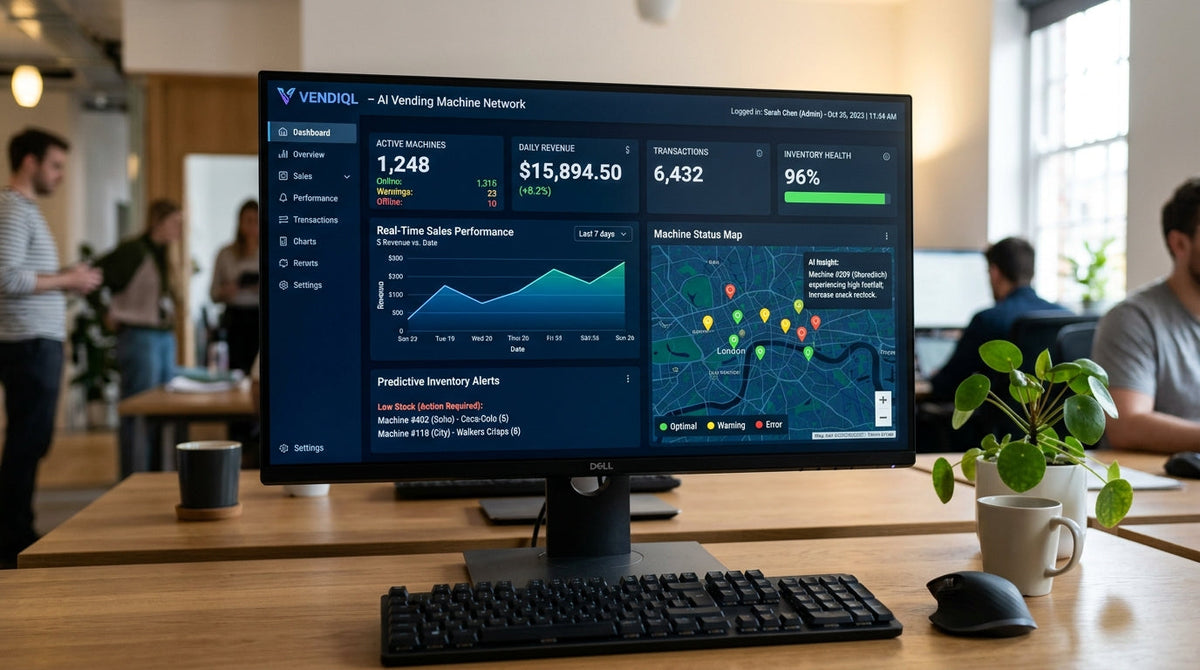
El software de las máquinas expendedoras con IA es la plataforma en la nube que convierte los datos brutos de sensores y cámaras en registros de transacciones, niveles de inventario y alertas de reabastecimiento que un operador puede gestionar desde un teléfono o navegador. El hardware —cámaras, sensores de peso, terminales de pago— solo genera señales sin procesar; la capa de software es la que interpreta dichas señales para confirmar una venta, actualiza el conteo de inventario en tiempo real y envía una notificación cuando un espacio requiere atención. Una máquina con un hardware excelente pero un software débil seguirá teniendo un rendimiento inferior, ya que toda la ventaja operativa de la venta automatizada con IA sobre el equipo tradicional de monedas proviene de lo que el software hace con los datos que recopila el hardware.
Esta guía desglosa los componentes de software esenciales que incluye toda plataforma de venta automatizada con IA, cómo la nube y el procesamiento periférico (edge) dividen la carga de trabajo, qué diferencia a las plataformas sólidas de las débiles y qué evaluar antes de comprometerse con una máquina y su software complementario.
Tabla de contenidos
Toda arquitectura de software para máquinas expendedoras con IA se construye a partir de cinco capas funcionales, independientemente del fabricante: el motor de reconocimiento que interpreta los datos de la cámara o los sensores, la capa de transacciones y pagos, el motor de inventario y análisis, el sistema de alertas y notificaciones, y el panel de control para el operador que integra todo. Estas capas se comunican constantemente: una transacción completada actualiza el inventario, lo que alimenta el sistema de análisis y puede activar una alerta de reabastecimiento, todo en cuestión de segundos tras cerrar el cliente la puerta de la máquina.
| Capa de software | Función | Se ejecuta en |
|---|---|---|
| Motor de reconocimiento | Identifica productos a partir de datos de cámara/sensores | Dispositivo integrado o nube |
| Capa de transacción/pago | Procesa y confirma el pago | Integrado, sincronizado con la nube |
| Motor de inventario/análisis | Realiza el seguimiento de niveles de stock y velocidad de ventas | Nube |
| Sistema de alertas | Envía alertas de stock bajo, errores y temperatura | Nube |
| Panel del operador | Muestra datos, gestiona la flota | Aplicación web / móvil |
El panel de gestión es la interfaz principal que utiliza un operador para monitorear cada máquina de una flota desde una sola pantalla, mostrando totales de ventas por máquina, niveles de inventario actuales y cualquier alerta activa sin necesidad de visitar el sitio. Los paneles sólidos permiten al operador profundizar desde un resumen de toda la flota hasta el historial de transacciones de una sola máquina con unos pocos clics, mientras que las plataformas más débiles ocultan esos detalles tras exportaciones o requieren una herramienta completamente separada para informes históricos. Debido a que este panel es con lo que el operador interactúa a diario, su usabilidad afecta directamente la rapidez con la que se toman las decisiones de reabastecimiento; por ello, la calidad del software debe formar parte de la decisión de compra junto con las especificaciones físicas de la máquina, como se explica en la Guía completa del comprador 2026.
El procesamiento periférico ejecuta el modelo de reconocimiento de productos directamente en la computadora integrada de la máquina, lo que confirma una transacción en menos de un segundo porque no hay necesidad de que los datos viajen a un servidor remoto y regresen. Este enfoque también significa que la máquina puede completar una transacción incluso durante una breve interrupción de la conectividad, poniendo en cola la venta confirmada localmente hasta que se restablezca la conexión. El compromiso es un mayor costo de hardware integrado, ya que la máquina necesita suficiente potencia de procesamiento local para ejecutar un modelo de reconocimiento completo en tiempo real.
El procesamiento en la nube envía los datos de la cámara o los sensores a un servidor remoto para su reconocimiento, lo que reduce los requisitos de hardware integrado y permite al fabricante actualizar los modelos de reconocimiento de forma centralizada sin tocar las máquinas físicas. El compromiso es la dependencia de la calidad de la conexión: una conexión lenta o inestable añade latencia a la confirmación de compra y, durante una interrupción, puede detener la transacción por completo hasta que se restablezca el servicio. La mayoría de las plataformas comerciales utilizan un enfoque híbrido, ejecutando un reconocimiento básico en el borde para ganar velocidad mientras descargan análisis más complejos y el reentrenamiento de modelos a la nube. Los mecanismos de detección subyacentes detrás de ambos enfoques se detallan en Cómo funcionan las máquinas expendedoras con IA y Qué es una máquina expendedora con IA, y los sensores físicos que interpreta este software se tratan en Desglose de las piezas de una máquina expendedora con IA.
El software de análisis de inventario realiza un seguimiento de la tasa de rotación por SKU, por máquina y por franja horaria, lo que permite al operador identificar productos con bajo rendimiento y eliminarlos antes de que ocupen espacio en el estante que podría ser aprovechado por un artículo de mayor rotación. El reabastecimiento predictivo va más allá al proyectar cuándo se agotará un espacio específico basándose en la velocidad reciente, marcándolo para el reabastecimiento antes de que se vacíe por completo, en lugar de después; una mejora directa sobre las alertas basadas en umbrales que solo se activan cuando un espacio ya marca cero. Esta capa predictiva es la que mejora de manera más mensurable los ingresos por máquina, ya que un espacio vacío no genera ventas hasta que un operador interviene físicamente, una dinámica explorada a fondo en Cómo las máquinas expendedoras con IA optimizan las ventas y ROI de las máquinas expendedoras con IA.
El análisis de toda la flota también arroja datos comparativos de ubicación, mostrando qué sitios superan a otros por visita o por metro cuadrado, lo que influye directamente en las decisiones de expansión cubiertas en Datos de ubicación de máquinas expendedoras con IA, Caso de estudio: Encontrando el lugar ideal, y Cuántas máquinas expendedoras con IA necesitas para gestionar un negocio a tiempo completo.
La capa de software se sitúa entre el lector de tarjetas físico y el procesador de pagos, formateando cada transacción correctamente para su liquidación mientras la registra contra el producto específico que identificó el motor de reconocimiento. Debido a que las transacciones en máquinas con IA son clasificadas de manera diferente por algunos procesadores en comparación con las operaciones minoristas estándar, la calidad de la integración del software con la pasarela de pago elegida afecta directamente tanto la velocidad de la transacción como la tasa de procesamiento que paga finalmente el operador; detalles cubiertos en Cómo funciona el procesamiento de tarjetas y por qué las máquinas con IA tienen tarifas diferentes.
El software de monitoreo remoto envía notificaciones de stock bajo, desviaciones de temperatura en unidades refrigeradas, pérdida de conectividad y códigos de error de hardware, permitiendo a un operador clasificar los problemas por gravedad en lugar de descubrirlos durante una visita rutinaria. Una alerta de temperatura en un refrigerador inteligente, por ejemplo, permite a un operador solucionar un fallo de refrigeración antes de que el inventario dañado llegue a un cliente, protegiendo directamente tanto los ingresos como la reputación en esa ubicación. La confiabilidad de esta capa de alertas es uno de los diferenciadores de calidad de software más claros entre plataformas, ya que un sistema que genera demasiadas falsas alertas entrena a los operadores para ignorar las notificaciones por completo, anulando el propósito de la monitorización remota.
No todas las plataformas de software para máquinas expendedoras con IA ofrecen la misma profundidad de funcionalidad, y la brecha entre los niveles básicos y avanzados a menudo determina si una flota crece sin problemas o requiere una supervisión manual cada vez mayor a medida que aumenta el número de máquinas. La siguiente comparación describe la diferencia funcional que encuentran la mayoría de los operadores.
| Característica | Plataforma básica | Plataforma avanzada |
|---|---|---|
| Alertas de reabastecimiento | Basadas en umbrales (espacio vacío) | Predictivas (basadas en velocidad) |
| Vista de flota | Solo por máquina | Panel consolidado multi-sitio |
| Aplicación móvil | Limitada o nula | Gestión remota completa |
| Exportación de datos / acceso API | Exportación manual a CSV | API abierta para integraciones |
| Optimización de planograma | Solo ajuste manual | Sugerencias de diseño basadas en datos |
Pros
Gestión centralizada de la flota desde cualquier dispositivo con acceso a internet.
Los modelos de reconocimiento mejoran con el tiempo sin actualizaciones físicas de hardware.
Las alertas en tiempo real detectan problemas antes de que se conviertan en pérdida de ingresos.
Contras
La dependencia total de la nube introduce un punto único de falla durante las interrupciones.
El costo continuo de suscripción al software aumenta el costo total de propiedad.
La privacidad y seguridad de los datos dependen totalmente de la infraestructura del fabricante.
Algunos fabricantes incluyen el acceso al software en el costo inicial de la máquina, mientras que otros cobran una suscripción mensual continua por máquina; un costo que aumenta rápidamente en una flota en crecimiento y que debe considerarse directamente en las comparaciones de costos totales cubiertas en Máquinas expendedoras con IA: Costo y Retorno de inversión: Construcción prefabricada frente a personalizada.
Solicitar un acceso de demostración antes de comprar más de una máquina permite verificar si la usabilidad del panel coincide con las afirmaciones de marketing del fabricante, ya que una interfaz torpe socava incluso el hardware de reconocimiento más preciso al ralentizar la respuesta real del operador ante las alertas.
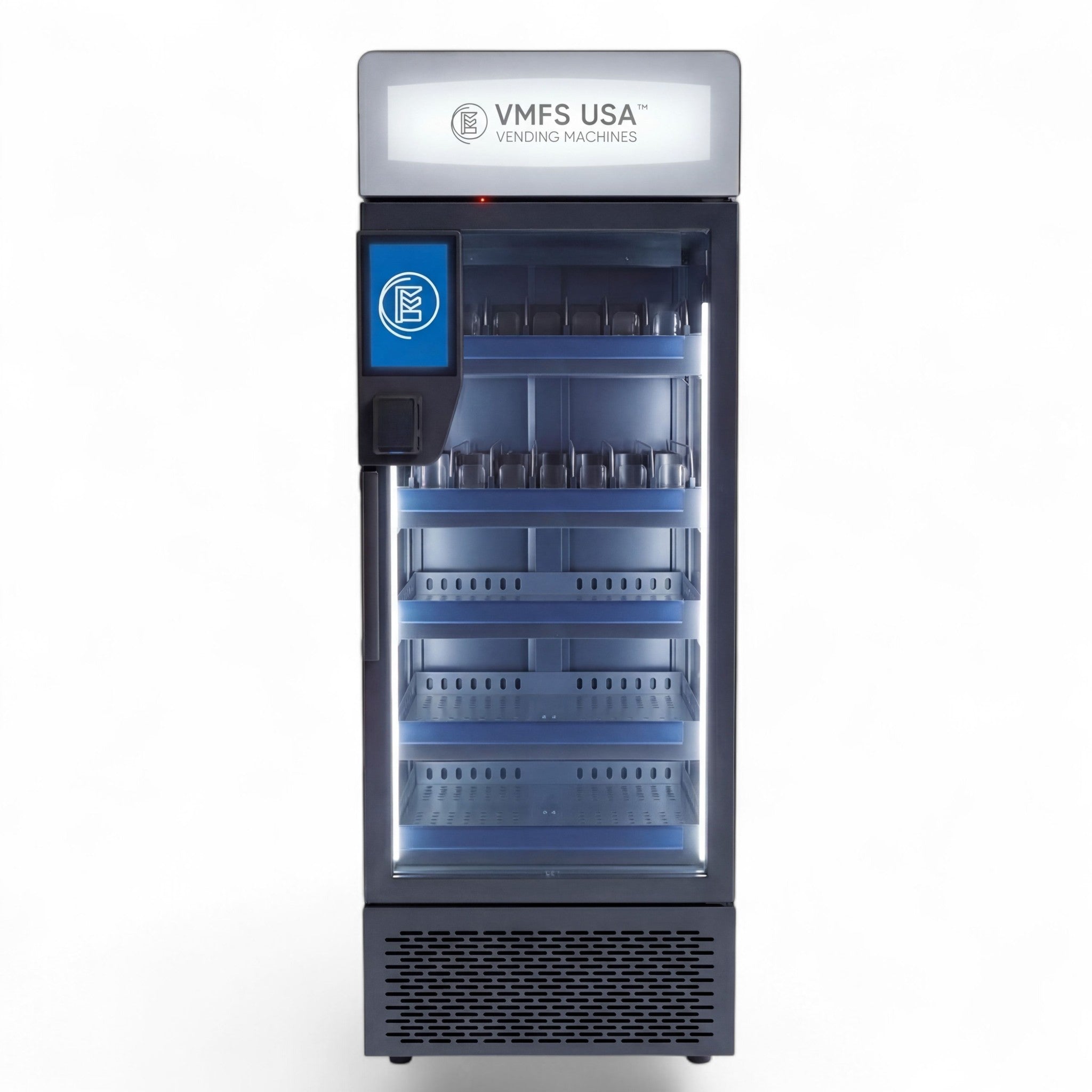
Pregunte específicamente cómo gestiona el software una interrupción de la conectividad —si las transacciones se ponen en cola localmente y se sincronizan más tarde, o si la máquina simplemente deja de aceptar pagos hasta que se restablece el servicio—, ya que este detalle afecta materialmente la fiabilidad de los ingresos en lugares con una infraestructura de Internet menos consistente. Los formatos de máquina construidos en torno a una integración de software fiable incluyen la colección de máquinas expendedoras AI Grab-and-Go, la máquina expendedora AI Smart Cooler, la máquina expendedora Smart Fridge y la máquina expendedora AI Smart Cooler Combo. Puede encontrar más contexto sobre la categoría y la terminología en Máquina expendedora inteligente vs. máquina expendedora con IA, Máquinas expendedoras tradicionales vs. con IA, y ¿Vale la pena la actualización?. Para obtener contexto sobre la rapidez con la que está madurando esta categoría de software, consulte Tamaño del mercado de máquinas expendedoras con IA y El experimento de la máquina expendedora con IA: Cómo está cambiando el comercio minorista inteligente, y para consideraciones de software específicas de electrónica, Máquinas expendedoras de productos electrónicos impulsando ciudades inteligentes con IA y la sostenibilidad.
Vea el software detrás de una máquina real
Explore las máquinas expendedoras con IA construidas con un software de reconocimiento y gestión de flotas fiable.
Explore las máquinas expendedoras con IA
Compartir:
Desglose de piezas de la máquina expendedora con IA: explicación de cada componente
Plan de negocios de máquinas expendedoras con IA: una hoja de ruta completa para operadores