




Design the perfect vending solution for your location and customers.

Join the VMFS newsletter and step into a thriving network dedicated to collective success.
One signup. Endless possibilities.
How do AI vending machines work? A shopper taps a card or phone to unlock the door, takes what they want and closes the door, and the machine charges that card for exactly the items that left. An AI vending machine is an unattended glass-door cooler or cabinet. Cameras, and on many models shelf weight sensors, see which products leave the shelves, so there are no coils, keypads or product codes. Software handles the whole checkout.
This guide walks through a sale step by step, from the payment hold to the inventory update. It then covers the hardware inside the cabinet, how accurate recognition is, how disputes are settled, the privacy rules that apply, what the machine needs on site, and the locations where the format pays off. The specs of the current VMFS AI lineup serve as examples throughout, and a comparison of the best AI vending machines in that lineup shows which model fits which kind of site.
An AI vending machine is a self-checkout retail cabinet. It ties three things together: a door that stays locked until a payment method is verified, sensors that track which items leave the shelves, and software that turns those sensor readings into a receipt. Take away any one of the three and you have something else. A cooler with a card reader but no recognition is just a locked fridge. A machine with cameras but no payment gate is a security system.
The term covers several cabinet formats. Most are refrigerated coolers with retail-style shelving, but combo, fridge and frozen versions exist too. They all share the same open-door shopping flow. Traditional vending machines sell one selection at a time through a spiral or elevator. An AI machine lets the customer browse, pick up three items, put one back and walk away with two. That multi-item basket is the commercial point of the format. Cantaloupe's 2026 Micropayment Trends report put the average Smart Store transaction at $4.49 in 2025, against $2.01 for traditional vending. Bigger baskets are the reason operators pay more for the format.
"AI" here refers mainly to the recognition model. It is trained on images of each product so it can tell one package from another by shape, color and label. The same platform usually adds forecasting, low-stock alerts and remote pricing. Those features are useful, but they are standard on connected machines and are not what makes a machine "AI". If you are deciding between formats, the smart vending machine vs AI vending machine comparison explains where touchscreen and telemetry machines stop and computer-vision checkout begins.
An AI vending machine works as a payment-gated shopping session. The card is checked first, the door opens, sensors build a virtual cart while the door is open, and the final charge is calculated after the door closes. Each step below matches the flow VMFS documents for its AI vending machines, and most checkout-free coolers on the market follow the same sequence.
The customer taps a credit card, debit card, phone or watch on the reader. Some models also accept QR payments, and a few offer face payment at a touchscreen. Prices should be visible on a screen or shelf labels before the door opens (the VMFS AI Smart Cooler shows them on screen), so the shopper knows the cost of anything they pick up.
The machine asks the card issuer for an authorization, a temporary hold that confirms the card is valid and has funds. It is not a charge. Only when the authorization comes back approved does the electronic lock release. This is the main theft control: nobody can open the cabinet anonymously, so every session is tied to a verified payment method before a product is touched. Card networks limit how long a hold can stay open. Stripe's documentation lists in-person authorization windows of about five days for Visa and two days for Mastercard, American Express and Discover. That is far longer than any vending session needs.
The door opens like a retail cooler. The shopper can lift an item, read the label, put it back or take several of the same product. Because nothing is dispensed, nothing can jam or get crushed in a delivery bin, which removes the most common refund request in coil vending.
While the door is open, cameras watch the shelves and the doorway, and on machines that have them, load cells under each shelf report weight changes. Software turns each "picked up" or "put back" event into a running cart. A product that goes back on the shelf leaves the cart. Three cans taken in one grab count as three.
Closing the door tells the system that the shopper is finished. The lock re-engages, and the machine compares the shelf state at close with the shelf state at open to confirm what actually left the cabinet.
The processor captures the final amount against the earlier hold. If the cart is smaller than the hold, the difference is released. Stripe notes that a partial capture automatically releases the rest of the authorized amount. If nothing was taken, the hold is cancelled and the shopper pays nothing. On the AI Grab & Go Cooler, VMFS lists the charge as landing about 15 seconds after the door shuts.
Customers get a digital receipt, and the session is logged with its time, items and payment method. Some card statements don't clearly separate a pending authorization from the settled charge, which Stripe notes can confuse customers. Expect the occasional "was I charged twice?" call and answer it from the session log.
The sale updates stock counts per shelf or slot, and margins in the operator's dashboard. Low-stock alerts fire against par levels you set, and the next restock list builds from live counts instead of a guess. This last step is where the operator saves labor: you drive to the machines that need product, not every machine on the route.
An AI vending machine knows what you took by comparing what its sensors saw at the start and end of your session. Cameras identify products by appearance, and weight sensors confirm that something with the right weight left a specific shelf. Machines use one method or combine them, and a few use RFID tags instead. The choice affects accuracy, planogram flexibility and per-sale cost.
Cameras mounted inside the cabinet record the session. A recognition model trained on photos of each product classifies the items moving in and out of view. Vision is flexible. A product can sit on any shelf, and two flavors of the same brand can be told apart by label color. Its weak spots are anything that blocks the view, such as a hand, an arm or a bag, and products whose packaging looks nearly identical. Adding a new product means training the model on it. On the AI Grab & Go Cooler, VMFS says a new item is trained remotely in about two hours.
Load cells under each shelf measure weight continuously. When a shelf gets lighter, the system knows how much weight left and which products are assigned to that shelf, so it can work out what was taken and how many. Weight does not care whether the camera had a clear view, and it counts multiples cleanly. The trade-off is that products need assigned shelves, the shelves need occasional calibration, and two items of similar weight on the same shelf can be confused. Our guide to weight sensors in AI vending machines goes through these pros and cons with service-visit detail.
Fusion means using both signals. If the camera and the shelf agree, the sale goes through. If they disagree, the system has a second source of evidence. A peer-reviewed study in Frontiers in Built Environment (the FAIM framework) tested this on a replica convenience-store shelf with 85 items from 33 products. Combining vision and weight reached up to 92.6% item identification accuracy, and adding cameras cut the error rate compared with weight sensing alone. Large checkout-free stores take the same approach: Amazon describes Just Walk Out as using cameras, weight sensors and AI models that analyze all the sensor data together. RFID is a third option. Each item carries a tag that a reader logs as it leaves, which is very precise but adds a tag cost to every unit sold.
| Method | How it identifies items | Strengths | Watch-outs |
|---|---|---|---|
| Camera only (computer vision) | Appearance: shape, color, label | Products can sit anywhere; no shelf calibration; lower per-sale fee on VMFS machines | Blocked views; look-alike packaging; each new product must be trained |
| Camera plus weight sensing | Appearance confirmed by shelf weight change | Second opinion on every sale; clean multi-item counts; put-backs detected | Assigned shelves; periodic calibration; extra per-transaction fee on VMFS machines |
| RFID tags | Tag read as each item leaves | Very precise item-level tracking | Every unit needs a tag; tagging labor and cost |
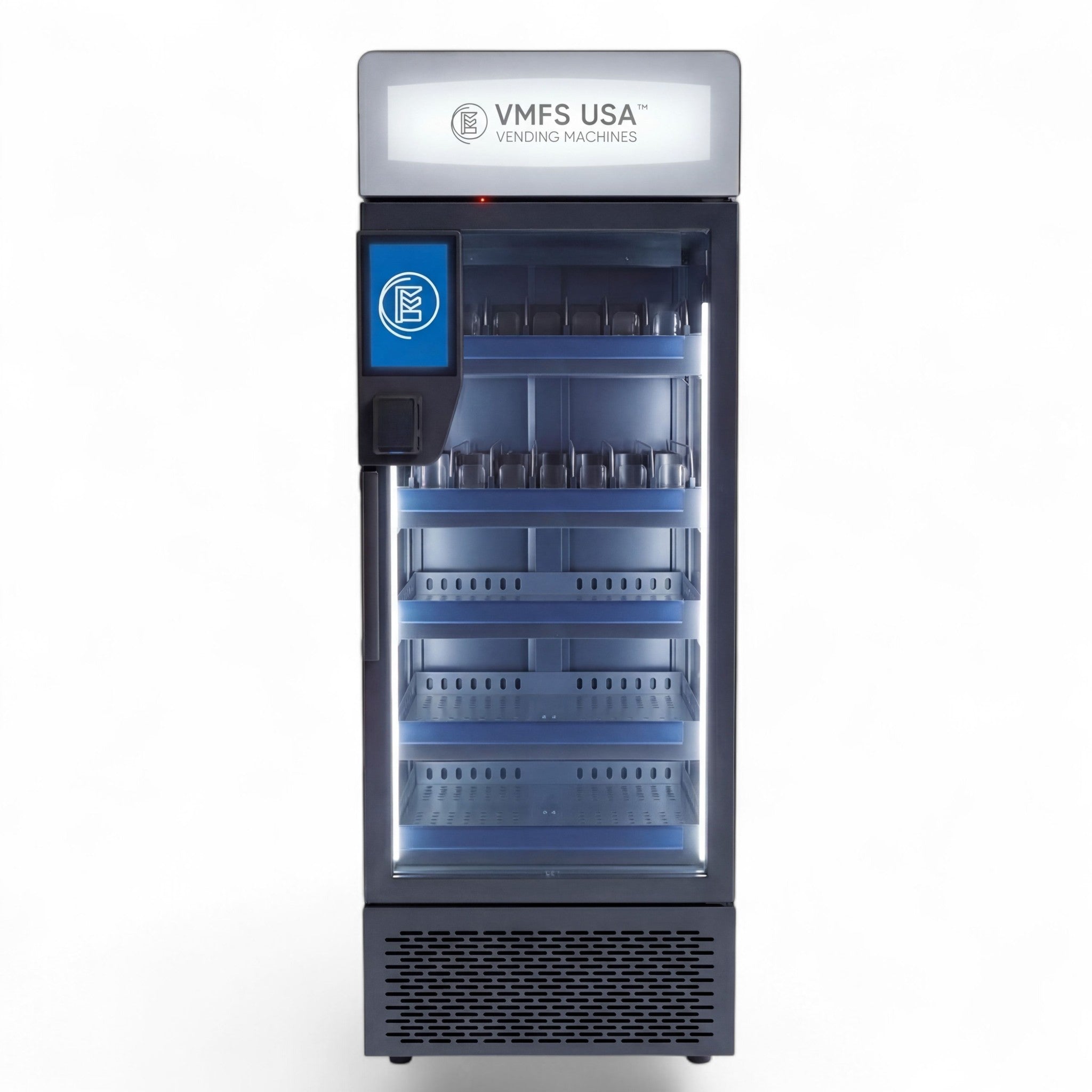
Inside an AI vending machine you will find a refrigerated or ambient cabinet with a locking glass door, recognition cameras, optional shelf load cells, an embedded computer, a cashless payment reader, a network module and, on some models, a touchscreen. Knowing what each part does makes troubleshooting faster and helps you compare quotes, because a missing component often shows up later as an add-on fee.
Cabinet, door and lock
Steel cabinet, reinforced door frame and an electronic lock that releases only after payment approval. Anti-fog heated glass keeps products visible in humid sites.
Recognition cameras
Wide-angle cameras watching the shelves and the doorway. VMFS's Smart Cooler and Smart Fridge use dual 1080p cameras that record the whole session.
Load cells (weight sensors)
Strain-gauge sensors under each shelf or tray that report weight changes. They are optional on some models and standard on others.
Embedded computer
Runs the door logic, collects sensor data and talks to the cloud. Recognition may run on the machine, in the cloud or split between the two.
Cashless reader
EMV contactless and chip reader, usually connected over the MDB vending protocol, that performs the pre-authorization and final capture.
Network module
4G cellular modem, WiFi, or both. Payments, recognition results and dashboard data all depend on it.
Refrigeration
Compressor and air-circulation system. VMFS AI coolers adjust from 32°F to 50°F, and the Grab & Go cabinet runs up to 86°F for ambient snacks.
Display (optional)
Touchscreen for prices, face payment and idle-time advertising, such as the 10.1-inch screen on the AI Smart Fridge.
Each of these parts fails in its own way, and each has its own replacement cost. The AI vending machine parts breakdown covers them part by part. For the failures operators see most often, such as a camera lens smudge, a reader that drops offline or a door that won't latch, see our list of common AI vending machine issues.
The software in an AI vending machine has two jobs. It runs the checkout logic at the machine, and it gives the operator a remote view of every sale, shelf and alert. The first job has to happen in seconds while the customer is standing there. The second can run over the network and is where the operator spends their time.
At the machine, the embedded computer manages the session: it requests the payment authorization, releases the lock, gathers camera frames and weight readings, and sends the result for billing when the door closes. Some systems recognize products on the device itself (edge processing), and others upload the session for cloud recognition. Edge processing depends less on a fast connection. Cloud recognition makes it easier to update models centrally. Either way, ask the supplier exactly what happens to door access and billing when the connection drops. The answer differs by platform, and it decides whether a weak-signal site is workable.
In the cloud, the dashboard is where an AI machine earns back its higher price over a coil machine. VMFS Cloud is the remote monitoring and reporting platform for VMFS machines, sold as an optional paid plan. Its AI Cloud plan, listed at $39.99 a month, adds computer-vision stock and misplaced-product detection, customer behavior analytics, operator-set dynamic pricing rules, remote diagnostics with automated updates, and product recognition training. The platform also shows live sales with margin on every line, a visual planogram with par levels, restock lists built from slot counts, and alarms for door open, temperature out of range, reader down and machine offline. You set each alarm's threshold and choose who gets it by SMS or email. For a deeper look at features, integrations and what to demand from any platform, read our guide to AI vending machine software.
Dynamic pricing deserves a note. VMFS describes its dynamic pricing as operator-set rules, so you decide whether a sandwich drops a dollar in its last hours or whether energy drinks cost more after a gym's evening rush. Change a price from your phone, then watch whether volume holds. Doing that safely is one of the most practical uses of the data.
Modern AI vending machines are accurate enough to bill automatically, but no system is perfect. What separates good platforms is how errors are caught and settled. VMFS lists recognition accuracy of up to 99% across its AI lineup. The AI Smart Cooler and AI Smart Fridge reach that figure with vision and weight sensing combined. Independent research gives useful context: the FAIM study reached up to 92.6% on a crowded store shelf, and its authors reported about half the error rate of self-checkout stations. A cabinet with a fixed planogram and a single shopper at a time is an easier environment than an open store aisle.
Errors come from predictable sources. Products with near-identical packaging sit side by side, a hand covers an item as it leaves, lighting glares off shiny wrappers, products sit in the wrong slot after a restock, or the camera lenses get dirty. Most of these are under the operator's control. Keep look-alike flavors on different shelves, restock to the planogram, wipe the lenses at every visit, and train the model on new packaging before you load it.
When a customer questions a charge, the platform should give you evidence, not a guess. VMFS ties every charge to the card that opened the door and logs the full session. On the Smart Cooler and Smart Fridge, the dual cameras record from door open to door close, so a disputed charge can be checked against video. If a session does not complete correctly, VMFS says the customer is not charged and the hold is released automatically. In practice the dispute workflow is short: find the session by time and card, review the log or video, refund the customer through your payment processor if the system was wrong, and flag the slot or product that caused it so it doesn't happen again.
Operator tip: post a contact number or QR code on the cabinet for billing questions. A customer who can reach you in a minute asks for a refund. A customer who can't calls their bank and files a chargeback, which adds bank fees and paperwork on top of the refund.
AI vending machines raise real privacy questions, because they record video inside a public space and some models offer face-based payment. Whether a given machine captures faces depends on its design. Amazon states that Just Walk Out does not use biometric technologies such as facial recognition and tracks hand-product interactions instead. Other machines, including some VMFS models, offer face payment as an option and record full sessions on their cameras for dispute protection. Find out which camp your machine is in before you place it, and don't promise customers "no cameras on people" unless the manufacturer's documentation says so.
Face payment changes the legal picture. Illinois' Biometric Information Privacy Act requires written notice and consent before a business collects biometric identifiers, and individuals can sue under it. California's privacy law (CCPA) treats biometric information used to identify a consumer as sensitive personal information and requires a notice at collection. The law applies to for-profit businesses that meet thresholds such as annual gross revenue above $26,625,000, the inflation-adjusted figure in effect since January 1, 2025, according to the California Privacy Protection Agency. If you don't need face payment, leave it switched off and run card-only checkout. If you do enable it, get the consent flow and retention policy in writing from the supplier and display them at the machine.
Whatever the camera setup, a few practices protect you. Post a clear sign that the machine records sessions for billing and security. Learn how long session video is kept and who can view it. Confirm the host site's rules: schools, healthcare and some workplaces restrict recording. On the payment side, the card reader and processor fall under PCI DSS, the standard that applies to entities that store, process or transmit cardholder data, so use a certified reader and processor rather than a home-built setup.
Food rules apply as well. AI coolers sell a lot of fresh food, so the usual vending permits and local health-department requirements apply, and continuous temperature logs from the cloud help at inspections. Under FDA rules, operators who own or operate 20 or more vending machines must provide calorie information for the food they sell, subject to certain exemptions. That counts against your whole fleet, not a single site. VAdviced's smart vending machine permit guide walks through each step, from business registration and the seller's permit to local licenses and the health permit for food.
An AI vending machine needs three things from a site: a standard outlet, a reliable data connection, and a location where cashless payment is the norm. VMFS AI machines run on 110 to 120V, 60 Hz US outlets. The AI Grab & Go Cooler is rated at 120W and about 2.3 kWh per 24 hours. The AI Smart Combo draws about 350 watts while running. Neither needs special wiring, so the outlet usually isn't the problem. Placement is: check the doorway width, ceiling height and door-swing clearance before delivery day.
Connectivity matters more on an AI machine than on a coil machine, because the payment authorization, the session data and the dashboard all travel over it. VMFS machines connect over 4G or WiFi. Cellular data through a SIM is a third-party cost of about $15 a month, and you can skip it if the site's WiFi is stable. In practice, a dedicated SIM is often safer than a host's guest network, which can change passwords or block devices without warning. If a site has poor cell coverage and unreliable WiFi, it isn't an AI vending site.
Payment is fully cashless. Cantaloupe's 2026 report found that 78% of US vending sales were cashless in 2025, and that contactless made up 85% of those cashless sales, so the format fits how people already pay. EMV contactless uses a one-time security code for every transaction, which EMVCo describes as more secure than magnetic stripe. VMFS machines take credit and debit cards, Apple Pay, Google Pay and other mobile wallets, plus QR payment on some models. The AI Smart Fridge is MDB compatible, so it works with the payment hardware you choose. Card fees on AI machines are structured differently from a single-item vend, because one authorization can cover a basket of items. Our explainer on how card processing works on AI machines covers the rates. For reader options across your whole route, see our guide to cashless payment systems.
The difference between an AI machine and a traditional one is how the sale happens. A traditional machine dispenses one selection after payment. A smart machine adds a touchscreen and telemetry to that same dispensing model. An AI machine lets the customer take products directly and bills afterward. Each format still has a place. VMFS sells all three types of vending machines, and many operators run all three on one route.
| Feature | Traditional (coil/spiral) | Smart (touchscreen, telemetry) | AI grab-and-go |
|---|---|---|---|
| How the shopper buys | Enter a code, product drops | Select on screen, product dispenses | Tap, open door, take items, close |
| Items per transaction | Usually one | One or a small cart | As many as the shopper takes |
| Payment | Cash, coins, card reader add-on | Card, mobile wallet, sometimes cash | Cashless only, pre-authorized |
| Product range | Items that fit a coil | Items that fit the dispenser | Most packaged items, fresh food, odd sizes |
| Mechanical failure points | Coils, motors, drop sensors | Elevators, motors, screen | Door lock, cameras, sensors, network |
| Stock visibility | Manual, or telemetry add-on | Remote telemetry | Live per-shelf counts from sensors |
| Depends on internet | No | For reporting and card payments | Yes, for payment and recognition |
| Typical fit | High-volume, low-price snacks and drinks | Branded or mixed retail | Fresh food, premium items, multi-item baskets |
A coil machine remains the cheaper, simpler tool for a busy break room that buys chips and soda. The AI cooler earns its place where shoppers want fresh food, higher-value items or several products at once. Our side-by-side on traditional vs AI vending machines walks through the upgrade decision. If you are weighing an open micro market instead, the AI vending machine vs micro market comparison covers shrink, footprint and staffing.
VMFS sells four AI grab-and-go models today, priced from $2,950 to $9,950, with a $12,650 frozen version of the Smart Fridge. All four use the same tap-open-take-close flow and the same cloud platform. They differ in footprint, capacity, sensing and payment options. The prices below are current list prices on vmfsusa.com. Specs come from each product page.
| Model | Price | Capacity | Recognition | Notable specs |
|---|---|---|---|---|
| AI Grab & Go Cooler | $2,950 (card reader included) | About 294 items, 6 trays | AI vision, 99% accuracy listed | 23.6 in wide; 32°F to 86°F; 4G and WiFi; 120W |
| AI Smart Combo | $3,950 | About 200 to 300 items, 5 shelves | Camera-based AI recognition | 32°F to 50°F frost-free; cards, wallets, QR |
| AI Smart Cooler | $4,950 | About 265 items, 15 zones | AI vision plus weight sensing, up to 99% | Dual 1080p cameras; card, Apple Pay, Google Pay, face recognition |
| AI Smart Fridge | $9,950 (Frozen variant $12,650) | Up to 360 items, 30 trays | Dual 1080p cameras plus weight sensors, up to 99% | 10.1-inch touchscreen; MDB compatible; 4G or WiFi |
The AI Grab & Go Cooler is the narrow option. At 23.6 inches wide it clears a standard interior door and fits break rooms and clinic corridors that a full-width cabinet can't get into. The AI Smart Combo puts snacks and drinks in one refrigerated cabinet with camera-only checkout, and VMFS describes it as its entry point into AI vending. The AI Smart Cooler adds weight sensing and session video for operators who want a second opinion on every sale. The AI Smart Fridge is the high-capacity, 49.8-inch-wide unit for hospitals, campuses and large offices.
Running costs come in two groups. Paid to VMFS: the AI Cloud plan at $39.99 per machine per month, an AI recognition fee of $0.07 per completed transaction, and $0.03 more per transaction if weight sensors are enabled. Paid to outside providers: about $10 a month for card reader service and, optionally, about $15 a month for cellular data. The recognition fee is why VMFS advises against stocking ultra-low-price items. A per-sale fee is a small share of the price of a sandwich, but a large share of the price of a low-priced candy bar. For the full purchase-and-operating picture, including financing, see our breakdown of AI vending machine cost. For payback math, see the guide to AI vending machine ROI.
Compare the VMFS AI vending lineup
See the specs, live prices and operating fees for every AI grab-and-go model in one place.
Shop AI Vending MachinesThe best AI vending machine is the one whose cabinet fits the room, whose temperature range fits the menu, and whose sensing gives you the level of evidence you want behind every charge. All four VMFS models run the same tap, take and close checkout described above, and all four report to the same VMFS Cloud dashboard. What changes from one model to the next is the footprint, the capacity, the sensing and the payment hardware. So start with the site: measure the space, list the products you plan to sell and estimate the daily traffic, then match those numbers to a model.
The table below is a placement guide, not a ranking. Each row shows the type of site a model suits, using the specs listed on its live product page. When two models look similar in the table, the doorway, the daily traffic and the product mix usually decide between them more than the price does.
| Model | Price | Width | Capacity | Sensing | Temperature | Card reader | Best fit |
|---|---|---|---|---|---|---|---|
| AI Grab & Go Cooler | $2,950 | 23.6 in | About 294 items on 6 trays | AI vision only, 99% accuracy listed | 32°F to 86°F | Included | Tight break rooms, clinic corridors, a first AI placement |
| AI Smart Combo | $3,950 | 27.6 in | About 200 to 300 items on 5 shelves | Camera-based AI recognition | 32°F to 50°F | Add-on, $450 | Offices, coworking spaces and plants that buy snacks and drinks together |
| AI Smart Cooler | $4,950 | 27.2 in | About 265 items in 15 zones | AI vision plus weight sensing, dual 1080p cameras | 32°F to 50°F | Add-on, $450 | Fresh food and premium drinks where one standard-width cooler covers demand |
| AI Smart Fridge | $9,950; Frozen $12,650 | 49.8 in | Up to 360 items on 30 trays | Dual 1080p cameras plus weight sensors on every shelf | Refrigerated or frozen variant | Add-on, $450 | High-volume sites that outgrow one cooler, and frozen meal programs |
| Build Your AI Vending Machine | From $3,950 | Depends on the build | Small, Double or Triple slot configurations | AI vision, up to 99% accuracy listed | Refrigeration set in the build | Chosen in the build | Sites that need a specific capacity, payment setup, finish or wrap |
The same running costs apply to every model in the table. The VMFS AI Cloud plan is $39.99 per machine per month, and AI recognition is $0.07 per completed sale. Machines configured with weight sensing add $0.03 per sale. Where a model does not include 4G, the 4G module is an optional $95 add-on, and the SIM is not included.
Choose the AI Grab and Go Cooler when space is the main limit at the site. At 23.6 inches wide and about 233.7 lbs, it clears a standard interior door, fits in a passenger elevator and fits break room corners that are too small for a full-width cabinet. Pure air cooling runs from 32°F to 86°F, so the same cabinet can sell cold drinks at a gym, fresh packaged food at an office or ambient snacks where the host does not want a fridge. If you move the machine to a different site, you change the temperature setting instead of the machine. It is also the only model in the lineup with the card reader included, so it has the lowest total entry cost for camera checkout. Check the doorway height as well as the width before delivery day, because the cabinet stands 76.8 inches tall.
Choose the AI Smart Combo when the site buys across categories in one visit. VMFS describes it as the entry point into AI vending: five adjustable retail-style shelves, an optional gravity-fed shelf configuration, and about 200 to 300 packaged items in one frost-free refrigerated cabinet. It takes QR payments, accepts cards and mobile wallets with the $450 card reader add-on, and draws about 350 watts from a standard 110 to 120V outlet. Offices, coworking spaces, campus buildings and manufacturing break rooms suit it well, because one shopper often buys a drink, a protein bar and a snack in the same visit. VMFS does not recommend it for outdoor placements, sites with unstable network coverage, or locations driven purely by low-cost, high-volume sales.
Choose the AI Smart Cooler when the menu is fresh food and you want strong evidence behind every charge. It is the standard-width fresh food cooler in the lineup. It pairs AI vision with weight sensing, and its dual 1080p cameras record the whole session from door open to door close, so a questioned charge has a video record attached. Its 15 zones on five shelves hold about 265 items in a cabinet 27.2 inches wide. It also lists face recognition as a payment option, which carries the consent duties covered in the privacy section above. The ideal site is a gym, clinic, hotel floor or office where salads, sandwiches, dairy and protein drinks sell steadily and one standard-width cooler covers the daily demand.
Choose the AI Smart Fridge when one cooler is not enough or when the menu needs frozen food. At 49.8 inches wide, it is much wider than the other models and holds up to 360 items on 30 pickup trays, weight sensors on every shelf, dual 1080p cameras and a 10.1-inch touchscreen that shows prices, takes face payment and runs branded signage in idle hours. It ships in a refrigerated variant at $9,950 and a frozen variant at $12,650 for frozen meals, entrees and frozen protein. The refrigerated unit weighs about 397 lbs and the frozen unit about 485 lbs, both 83.5 inches tall. It suits hospitals, large corporate floors, student housing and campus buildings, especially sites where a smaller cabinet would sell out between restocks.
AI Smart Cooler or AI Smart Fridge: the two models solve different problems. Choose the AI Smart Cooler when one standard-width cabinet covers the site's fresh food demand and you want weight sensing plus session video. Choose the AI Smart Fridge when the site needs more capacity than one cooler can hold, a touchscreen for pricing and signage, or a frozen menu.
Some sites need a configuration that none of the four fixed models offers. The builder starts at $3,950 and lets you set capacity (Small, Double or Triple slot configurations), refrigeration settings, payment systems and exterior branding before the machine is built. The standard lead time listed on the builder is 7 to 21 days, and buyers ordering three or more machines can ask about fleet pricing. If you already know the site, the menu and the payment setup, you can build your AI vending machine online and see the full price before you order.
Checklist Before You Pick A Model
If you are still comparing formats, see every model in our range of smart vending machines side by side. If a coil or touchscreen machine might suit the site better, browse all vending machines for sale. Our AI vending machine buyer's guide covers the purchase steps in detail.
AI vending machines work best indoors, where steady traffic, card-carrying customers and demand for fresh or premium products come together. Good examples are offices, hospitals, gyms, campuses, hotels and apartment lobbies. They work poorly in quiet corridors, at sites without a reliable connection, and where the product mix is cheap single items. Success depends on three things lining up: the right location, the right machine and the right products. A strong machine can't save a weak site, and a strong site still needs a menu that suits its people.
Each strong location has a clear reason the format earns there. In a hospital, the cafeteria closes but night staff, visitors and patients still need meals. In a gym, members want cold protein drinks right after a workout. In an office, every employee carries a card, and a cooler of salads and sandwiches covers lunch without a staffed counter. In apartment and student housing lobbies, residents want late-night convenience close to home. Our guide to the best AI vending machine locations breaks these down by traffic and product fit. The guide to the best products for an AI vending machine covers what to stock in each. If you still need a host site, VPlaced's AI vending placement guide compares site types by traffic and product fit.
Where AI vending pays off
Where it struggles
Some sites simply don't need AI. A low-traffic spot that sells the same few snacks every week is better served by a coil machine. So is a site with no dependable signal, or one where the host bans in-cabinet cameras; there, a camera-free or traditional machine is the safer pick. For everyone else, start with a pilot. Place one machine at your strongest site, run a proven starter mix for the first two to four weeks, and then tighten the planogram around what actually sells. Compare its sales, refunds and service time against a traditional machine on a similar site before you commit to a fleet. Expand gradually to sites with similar traffic patterns. When you're ready to configure a machine around a specific site's products, shelving and branding, use the VMFS builder below, and look at vending machine financing if you'd rather spread the cost.
Once the machine is live, list it on VendingFinder so nearby shoppers can find it on the map. To build steady demand after that, VMarketed's guide to marketing an AI vending business covers location-based promotion, a Google Business Profile and B2B outreach to win new placements.
Configure an AI vending machine for your site
Choose the capacity, refrigeration, payment system and exterior branding, then see the full price before you order. Financing is available through outside partners.
Build Your AI Vending Machine
Share:
Laundry Vending Machine Profit: What Operators Actually Earn
Best AI Vending Machines: 2026 Buyer's Guide for US Operators