


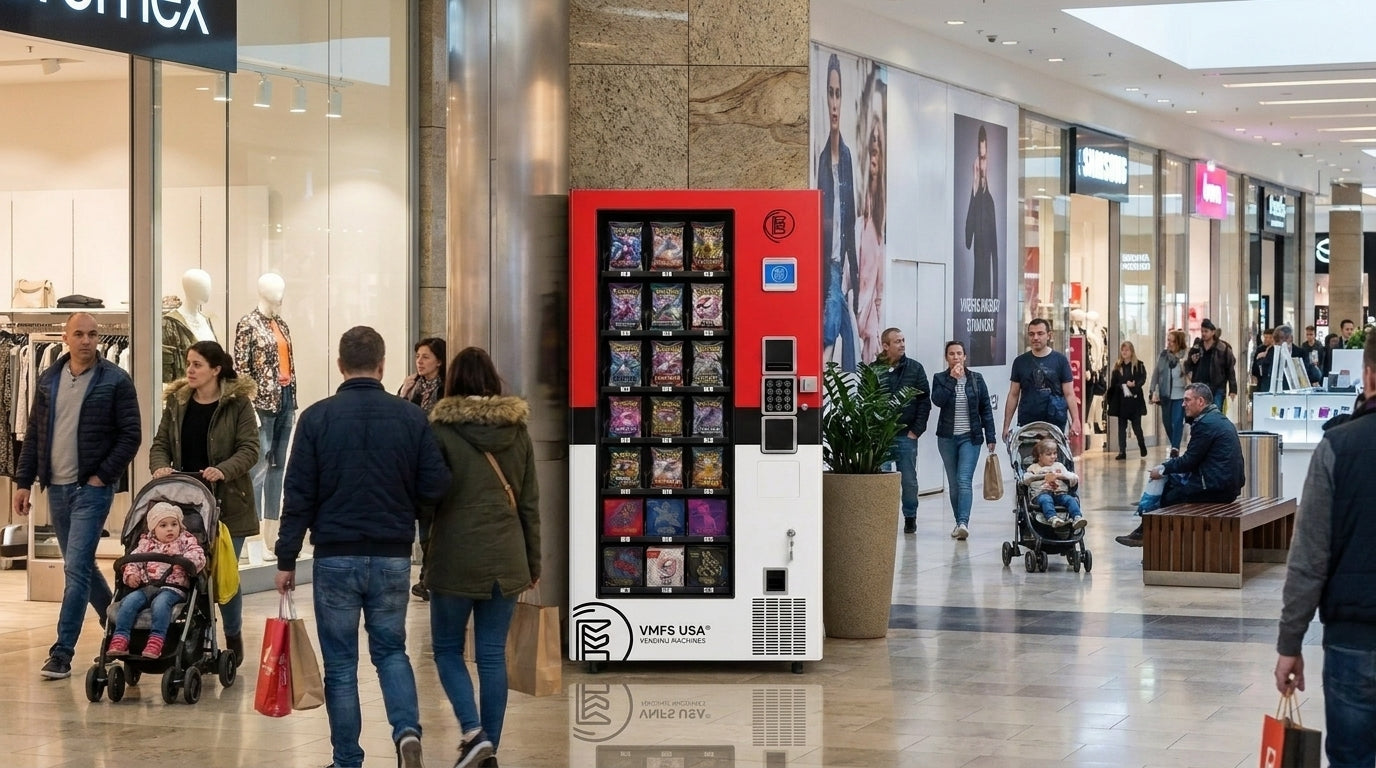


Diseñe la solución de vending perfecta para su ubicación y clientes.

Únete al boletín de VMFS y forma parte de una red próspera dedicada al éxito colectivo.
Un registro. Posibilidades infinitas.
Un quiosco automático de juegos de cartas coleccionables integra canales mecánicos motorizados especializados, microcontroladores y telemetría en la nube para procesar autorizaciones de pago y dispensar paquetes de refuerzo (booster packs) de papel de aluminio flexible sin doblar su estructura. Comprender cómo funcionan las máquinas expendedoras de Pokémon requiere mapear las señales electrónicas que viajan entre la interfaz de usuario y el conjunto dispensador.
La arquitectura Multi-Drop Bus conecta el controlador central de la máquina expendedora a los sistemas de pago periféricos, monederos y placas controladoras de motores a través de un canal serie interno estandarizado. La placa de control principal actúa como nodo central, convirtiendo las solicitudes de transacción digital desde el IPC (PC industrial) de la pantalla táctil en señales de modulación por ancho de pulso de bajo voltaje que activan los motores paso a paso de bandejas específicas.
Los operadores que gestionan hardware minorista deben evaluar los principales componentes de la máquina expendedora de Pokémon para aislar los fallos de comunicación del hardware de los retrasos en la carga útil del software. Cuando un usuario autoriza una transacción, la pasarela de telemetría verifica la confirmación del pago antes de indicar al controlador principal que ejecute una orden de dispensación.
Los sensores infrarrojos de caída consisten en diodos emisores de luz y fototransistores opuestos montados a través de la trayectoria de salida del compartimento de entrega. Estos sensores detectan la caída física del producto al monitorear la interrupción del haz infrarrojo ambiental durante el descenso del paquete.
Si un artículo interrumpe el haz de luz, el controlador principal recibe una señal baja activa y registra una venta exitosa. Si el haz permanece sin interrupciones después de la rotación del motor, el controlador inicia un segundo ciclo de bobina o detiene la transacción para evitar la deducción de crédito por inventario no dispensado.
El deterioro físico, la desalineación estructural y los residuos ambientales representan las principales causas de tiempo de inactividad mecánico en los equipos minoristas automatizados. Los operadores necesitan diagnósticos estructurados para resolver fallos de hardware rápidamente y mantener el rendimiento de los ingresos.
Los atascos de paquetes de cartas ocurren cuando los envases de aluminio delgados se deslizan debajo de las bobinas de accionamiento del motor o quedan atrapados dentro de las protecciones laterales de la cinta transportadora. Las fundas de aluminio flexibles carecen de la geometría rígida de los aperitivos en caja estándar, lo que requiere divisores de bandeja personalizados y una sincronización precisa del motor para evitar superposiciones durante la rotación.
Los operadores que consultan una guía completa para operadores de máquinas expendedoras de cartas Pokémon 2026 deben mantener ángulos de estante estrictamente nivelados para evitar que los paquetes se deslicen por gravedad. Las pistas de cinta desalineadas generan fricción desigual, lo que provoca el bloqueo de los engranajes del motor que activa los circuitos de protección contra sobrecorriente en la placa de control.
Los fallos de la pantalla táctil provienen de la degradación de la capa resistiva, sensores ópticos del bisel sucios o interferencias de bucle de tierra originadas por enchufes sin conexión a tierra. La descarga electrostática se acumula en los paneles de vidrio en entornos de baja humedad, lo que impide que los digitalizadores capacitivos registren las coordenadas táctiles.
Limpiar los bordes del digitalizador con alcohol isopropílico restaura la claridad del sensor óptico y resuelve la deriva de posición. Los operadores que experimenten bloqueos en la pantalla deben consultar el protocolo de reparación de pantalla negra en máquinas expendedoras de Pokémon para aislar los fallos del controlador de gráficos del IPC subyacente de los daños físicos en la placa táctil.
Los bloqueos físicos de la ranura de tarjetas ocurren cuando objetos extraños, tarjetas de crédito dañadas o residuos malintencionados bloquean los pines de contacto del lector interno. Los residuos impiden el cumplimiento de los requisitos de profundidad de inserción de la tarjeta, lo que hace que los microinterruptores de la terminal no detecten el estado de inserción completa necesario para activar las rutinas de lectura de chip magnético o EMV.
Los operadores que observan bloqueos generalizados en las terminales de pago a menudo encuentran manipulación física malintencionada destinada a restringir el acceso público al inventario de alta demanda. La inspección manual periódica de las ranuras de las terminales asegura la eliminación inmediata de obstrucciones físicas antes de que disminuya el flujo de clientes en el lugar.
El rechazo de billetes ocurre porque las lentes de validación óptica se cubren de polvo, pelusas de papel o residuos aceitosos del dinero físico. Los sensores ópticos sucios distorsionan los espectros de validación de color y los escaneos infrarrojos dimensionales, lo que obliga a los microprocesadores del validador a rechazar billetes auténticos como moneda falsa.
La limpieza regular con tarjetas de limpieza especializadas para validadores restaura la transmisión de luz óptica a niveles normales. Calibrar los umbrales de voltaje del sensor interno mediante la configuración de los interruptores DIP restaura las tasas de aceptación por encima del 98% para la moneda de curso legal.
Los fallos de software interrumpen el comercio automatizado al romper los bucles de autorización de pago y congelar las pantallas interactivas de usuario. Identificar las causas raíz de los bloqueos digitales garantiza una recuperación rápida y protege la seguridad de pago del cliente.
| Código de error / Fallo | Causa principal | Impacto inmediato en el sistema | Acción correctiva del operador |
| Please Remove Your Card (Por favor, retire su tarjeta) | Retraso en la respuesta de la pasarela / bloqueo de pines de la ranura | Congelación del bucle de pago; interfaz bloqueada | Limpiar la ranura del lector; reiniciar la terminal |
| Pantalla negra / Interfaz en blanco | Bloqueo del IPC Linux / fallo del controlador de GPU | Inactividad completa de la interfaz de usuario | Ejecutar arranque en frío del IPC; actualizar firmware de gráficos |
| Visualización de stock fantasma | Bypass del sensor de caída / error de inventario manual | Artículos agotados que aparecen como disponibles | Auditar la base de datos de inventario; calibrar sensores ópticos |
| Tiempo de espera de bus MDB (E-04) | Arnés suelto / caída de comunicación serie | Apagado total de periféricos de pago | Asegurar el conector molex MDB; reemplazar el arnés |
| Telemetría fuera de línea | Pérdida de señal 4G/5G / fallo de activación de SIM | Fallo en el registro remoto de ventas | Reiniciar el router; verificar el APN de la pasarela celular |
La advertencia persistente "Please Remove Your Card" ocurre cuando el lector de tarjetas de crédito no logra borrar su búfer de sesión tras un apretón de manos de red de transacción incompleto. Este error bloquea la interfaz de usuario porque el protocolo de seguridad de la terminal rechaza nuevos pases de tarjeta mientras una sesión no cerrada permanece activa.
Un análisis detallado de los fallos en las máquinas expendedoras de Pokémon indica que la latencia de red inesperada entre la pasarela celular y los servidores de procesamiento desencadena este estado de congelación. Forzar un reinicio del MDB borra la memoria del búfer periférico, restaurando las pantallas bloqueadas de la terminal al modo de espera.
Las pantallas negras del sistema ocurren cuando los sistemas operativos embebidos Linux o Windows fallan debido a limitación térmica, sectores de almacenamiento de arranque corruptos o actualizaciones OTA de fondo fallidas. Cuando la interfaz ejecutable central falla, la pantalla pierde la entrada de señal de video y entra en modo de espera.
Comprender el procedimiento paso a paso sobre cómo reiniciar una máquina expendedora de Pokémon ayuda a los operadores a reiniciar los kernels del sistema sin corromper las bases de datos de transacciones. El mantenimiento de los ventiladores de refrigeración del gabinete evita el sobrecalentamiento del procesador IPC durante las horas punta de tráfico del verano.
Los errores de inventario fantasma ocurren cuando los recuentos físicos de productos no coinciden con los registros de la base de datos de software almacenados en las placas de memoria locales. Los recuentos erróneos ocurren cuando los artículos se cargan en canales de motor incorrectos o cuando los sensores de caída no registran una entrega exitosa.
Los operadores que utilizan un rastreador de reabastecimiento de máquinas expendedoras de Pokémon eliminan los errores de alineación de la base de datos mediante la auditoría del stock físico en cada ruta de reabastecimiento. Sincronizar el software de la máquina local con las plataformas de gestión en la nube garantiza una disponibilidad de inventario precisa en las aplicaciones web del cliente.
Los pasos de diagnóstico sistemáticos eliminan las demoras por prueba y error, restaurando el tiempo de actividad de la máquina mientras se protegen los componentes electrónicos delicados.
Un reinicio completo estructurado borra los errores persistentes de los registros de hardware, descongela los buses de comunicación y reinicializa los controladores de motores. Los operadores deben ejecutar los reinicios de energía siguiendo estrictas secuencias de seguridad eléctrica:
Apague el software de la aplicación de la máquina a través del menú táctil del técnico para evitar daños en la base de datos.
Cambie el interruptor del disyuntor de CA principal, ubicado dentro de la puerta del gabinete inferior, a la posición OFF (apagado).
Desconecte el cable de alimentación principal del enchufe de pared y espere 180 segundos para descargar completamente los bancos de condensadores.
Vuelva a conectar el cable de alimentación de CA a un enchufe con toma de tierra y protección contra sobretensiones, y vuelva a encender el disyuntor.
Supervise las pantallas de carga del gestor de arranque para garantizar que los scripts del sistema operativo se carguen correctamente.
Los sensores infrarrojos de caída requieren una recalibración de voltaje periódica para compensar los cambios en la iluminación ambiental y la acumulación interna de polvo en las lentes ópticas. Acceder al menú de diagnóstico técnico permite a los operadores ejecutar pruebas automatizadas de autocalibración de sensores que restablecen los niveles base de atenuación de luz.
La instalación de firmware actualizado en las placas de control principales resuelve errores conocidos de temporización MDB y mejora el cumplimiento de la seguridad de los lectores de tarjetas EMV. Los operadores que buscan comprar una máquina expendedora en EE. UU. recibir máquinas equipadas con capacidades de actualización de firmware remotas que actualizan las placas internas automáticamente mediante telemetría celular.
El mantenimiento físico programado evita averías mecánicas, prolonga la vida útil de la máquina y garantiza transacciones de venta fiables.
Las tareas diarias se centran en los componentes orientados al cliente y en la limpieza exterior para mantener la confianza y la integridad operativa. Los operadores deben ejecutar un simple programa de mantenimiento de máquinas expendedoras de Pokémon para cubrir sistemáticamente las piezas de alto desgaste.
Inspecciones diarias:
Limpie los paneles táctiles de cristal con paños de microfibra antiestáticos.
Limpie las ranuras de inserción de tarjetas de residuos extraños o residuos adhesivos.
Verifique la conectividad de la telemetría celular y compruebe los registros de transacciones sin conexión pendientes.
Rutinas semanales:
Aspire los conductos de aceptación de moneda y limpie las lentes ópticas del validador de billetes.
Inspeccione las correas de entrega de las bandejas para detectar pérdida de tensión o deshilachado en los bordes.
Revise los registros de reabastecimiento para optimizar la carga del inventario según las tasas de venta de los artículos populares.
El mantenimiento periódico integral se centra en los conjuntos mecánicos internos y los componentes eléctricos de alto voltaje. Los pasos detallados sobre cómo realizar el mantenimiento de una máquina expendedora de Pokémon protegen los controladores de los motores de un desgaste prematuro.
Servicio mensual:
Limpie las lentes del sensor de caída óptico interno usando bastoncillos con alcohol isopropílico puro.
Compruebe que los ventiladores de refrigeración o ventilación del gabinete no estén bloqueados por polvo y lubrique los cojinetes del motor.
Verifique la seguridad de la conexión del arnés MDB en todas las cajas de conexiones periféricas.
Revisiones trimestrales:
Pruebe los voltajes de la batería de respaldo interna en las placas controladoras IPC del sistema principal.
Recalibre los digitalizadores táctiles y realice ventas de prueba de diagnóstico en cada fila de motores.
Audite las vías de conexión a tierra estructural de la máquina para garantizar una protección ESD completa de acuerdo con los estándares establecidos por la National Automatic Merchandising Association (NAMA).
La operación de hardware minorista en espacios comerciales de alto tráfico requiere la formación adecuada de la entidad comercial, protección de responsabilidad civil y acuerdos formales de sitio.
Establecer una estructura comercial formal aísla los activos personales de las responsabilidades comerciales asociadas con la implementación de hardware físico público. Los operadores deben evaluar modelos estructurales como una estructura fiscal de S-Corporation o una estructura de C-Corporation según los requisitos de escala de capital y las necesidades de capital de los inversores.
Antes de operar el hardware, los proveedores deben confirmar si pueden vender legalmente cartas Pokémon en una máquina expendedora verificando la autenticidad del origen del producto. Además, comprender las leyes de marcas registradas aclara si un operador puede usar el logotipo de Pokémon en una máquina expendedora de JCC sin infringir los derechos de propiedad intelectual corporativa.
Asegurar bienes raíces comerciales de primera calidad requiere contratos legales claros que describan las asignaciones de servicios públicos, las estructuras de comisiones y los límites de responsabilidad. El uso de un acuerdo de colocación de máquinas expendedoras de Pokémon formalizado protege a los operadores contra la eliminación no autorizada de hardware o disputas por la terminación del contrato de arrendamiento del lugar.
Los operadores deben completar una lista de verificación antes de colocar una máquina expendedora de Pokémon completa para evaluar el conteo de tráfico peatonal, la cobertura de cámaras de seguridad y la intensidad de la señal celular. Los sitios minoristas de mejor rendimiento incluyen cadenas de supermercados; los operadores que buscan específicamente ubicaciones de máquinas expendedoras de Pokémon en Kroger apuntan a lugares de compras familiares de gran volumen.
Los operadores que buscan sitios de despliegue óptimos pueden explorar las mejores ubicaciones para máquinas expendedoras de Pokémon para maximizar los volúmenes de transacciones diarias. Analizar las ubicaciones de máquinas expendedoras de Pokémon establecidas proporciona puntos de referencia para la densidad del tráfico peatonal y las expectativas de ingresos.
Seleccionar hardware diseñado específicamente para tarjetas coleccionables frágiles garantiza un daño mínimo al producto, menor frecuencia de atascos y una mayor generación de ingresos.
Comprender las compensaciones operativas permite a los posibles propietarios de negocios tomar decisiones informadas sobre la inversión de capital. Evaluar la rentabilidad general de las máquinas expendedoras de Pokémon requiere equilibrar los altos márgenes brutos con los costos de financiamiento del equipo.
Ventajas:
Su tamaño compacto genera una alta densidad de ganancias por pie cuadrado de espacio en el lugar.
Las tarjetas coleccionables mantienen altos márgenes de reventa y una demanda constante de los clientes.
La telemetría remota moderna reduce los viajes de servicio innecesarios al enviar alertas de existencias en tiempo real.
Desventajas:
El inventario de tarjetas premium requiere un mayor capital de trabajo inicial en comparación con los refrigerios estándar.
El inventario muy solicitado requiere cerraduras de gabinete seguras y cámaras de seguridad activas en el lugar anfitrión.
Los atascos mecánicos afectan directamente los ingresos hasta que un operador completa una llamada de servicio en el sitio.
Las máquinas de refrigerios estándar carecen de los controles de precisión necesarios para dispensar paquetes de aluminio delgados sin causar arrugas estructurales en las esquinas.
| Característica / Especificación | Máquina expendedora de refrigerios estándar | Máquina expendedora especializada en TCG |
| Mecanismo de dispensación | Rotación de bobina de paso ancho | Cinta plana de precisión / transportador de paso estrecho |
| Verificación de caída | Solapa mecánica básica o sensor IR único | Cuadrícula de haz óptico infrarrojo de matriz múltiple |
| Protección de tarjetas | Alto riesgo de arrugas en el aluminio al impactar la caída | Conducto de caída controlado con aterrizaje en bandeja acolchada |
| Opciones de pago | Mecanismo de monedas y validador de billetes simple | Chip EMV, contacto NFC, lector de tarjetas de crédito |
| Sistema de telemetría | Informes DEX básicos opcionales | Gestión en la nube integrada y sincronización de inventario |
Los operadores que buscan iniciar una flota deben revisar una guía completa sobre cómo iniciar y operar una máquina expendedora de Pokémon para estimar los requisitos de capital inicial. Comparar los costos de los equipos a través de una guía de precios y costos de las máquinas expendedoras de Pokémon ayuda a alinear las características de la máquina con las expectativas presupuestarias.
Una pantalla negra ocurre cuando la computadora IPC interna experimenta un bloqueo del sistema operativo, una falla del controlador de gráficos o una pérdida total de energía. Realizar un ciclo de apagado y encendido completo de 3 minutos reinicia el núcleo del sistema operativo y elimina los bloqueos de salida de pantalla.
Este error ocurre cuando la terminal de pago no puede cerrar un búfer de sesión activa debido a caídas en la señal de red. Limpiar los residuos extraños de la ranura del lector y reiniciar la terminal de pago elimina los bucles de pago congelados.
Los atascos de los paquetes de refuerzo ocurren cuando las fundas delgadas de aluminio se deslizan debajo de los protectores laterales del transportador o se pliegan durante la rotación de la bobina. El uso de hojas de respaldo de cartón detrás de los paquetes sueltos mantiene la rigidez estructural y elimina los atascos mecánicos de la bandeja.
Los horarios de reabastecimiento dependen de la velocidad de ventas, la densidad del tráfico peatonal y las fechas de lanzamiento del set. Los operadores realizan un seguimiento de los reabastecimientos mediante software de gestión en la nube y establecen rutinas utilizando una guía de proceso de reabastecimiento de máquinas expendedoras de Pokémon.
Los clientes no pueden activar manualmente los reinicios del sistema porque los interruptores de hardware están asegurados dentro de las puertas del gabinete con llave. Los clientes deben esperar a que se agote el tiempo de espera automático del software de 90 segundos o notificar al personal del lugar anfitrión para que se comunique con el operador.
Los sensores ópticos monitorean haces de luz infrarroja continuos a través del conducto de entrega inferior. Si un paquete que cae no rompe el haz de luz, el sistema cancela la deducción del crédito y activa un reembolso automático o un segundo intento de motor.
Los biseles ópticos sucios o la descarga electrostática causan la deriva de las coordenadas del digitalizador. Limpiar los bordes de la pantalla con toallitas con alcohol isopropílico y ejecutar una secuencia de calibración de pantalla a través de la configuración del técnico restaura la capacidad de respuesta táctil completa.
Los coleccionistas pueden utilizar directorios minoristas dedicados para encontrar máquinas expendedoras de Pokémon cerca de usted en los principales lugares minoristas. Las guías de seguimiento dedicadas explican cómo encontrar máquinas expendedoras de Pokémon en centros comerciales de alta densidad.
Los clientes seleccionan sus artículos en la pantalla táctil interactiva, verifican el recuento de paquetes seleccionados y deslizan o tocan su tarjeta de pago. Leer una guía sobre cómo usar una máquina expendedora de Pokémon garantiza una compra fluida sin activar los temporizadores de seguridad anti-bots.
Los operadores comerciales pueden revisar las opciones de proveedores sobre dónde comprar una máquina expendedora de Pokémon para asegurar unidades comerciales certificadas. Las guías detalladas de hardware explican cómo comprar una máquina expendedora de Pokémon con lectores EMV integrados y sensores de caída.


Compartir:
¿Qué es un establecimiento de venta de alimentos? Definición legal, equipamiento y visión general del negocio
Cómo reparar el lector de tarjetas de una máquina expendedora de Pokémon: guía de solución de problemas técnicos