




Design the perfect vending solution for your location and customers.

Join the VMFS newsletter and step into a thriving network dedicated to collective success.
One signup. Endless possibilities.
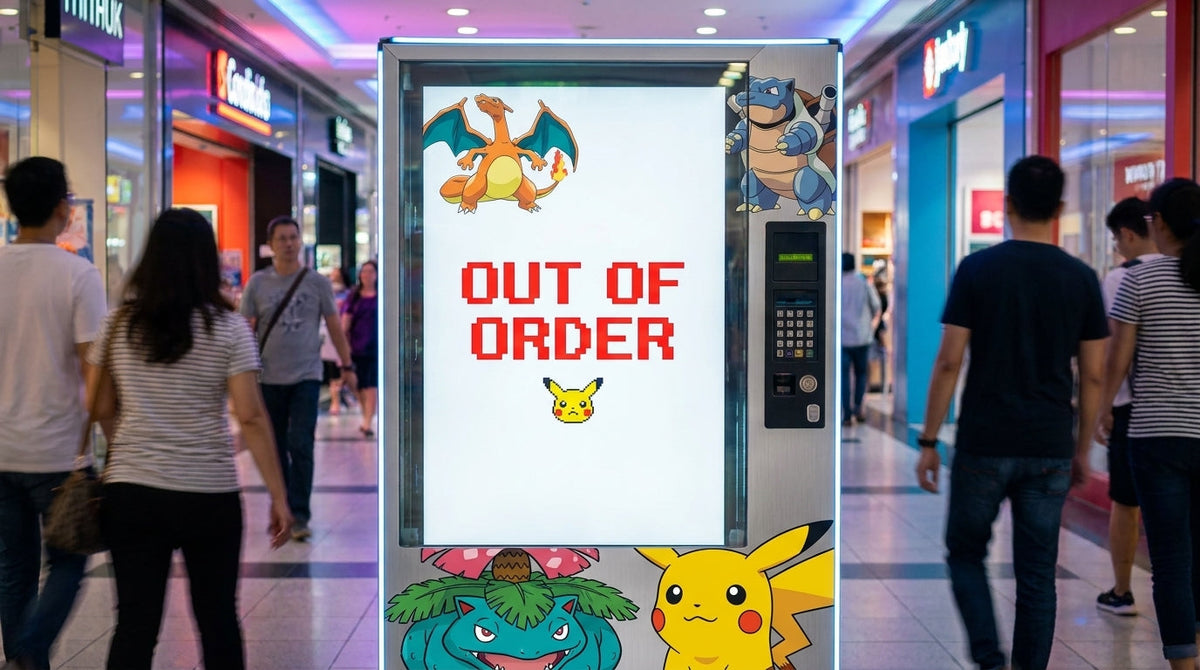
Automated trading card kiosks encounter operational downtime due to electromechanical failures across touchscreen digitizers, optical drop sensors, Multi-Drop Bus (MDB) harnesses, and coil drive motors. Resolving pokemon vending machine glitches and their fix requires isolating peripheral errors on the Vending Machine Controller (VMC) to restore product vending and payment processing. Understanding system architecture prevents lost sales, product damages, and customer refund disputes.
Review the structured outline below to navigate hardware diagnostic procedures, system reset sequences, and component fixes.
Automated retail vending architecture relies on a centralized Vending Machine Controller (VMC) connected to payment readers, drop sensors, and drive motors via internal communication protocols. Operators evaluating what Pokémon vending machines are must analyze how microcontrollers process item requests into physical motor rotations. Identifying system faults early maintains inventory security and minimizes route downtime.
The Multi-Drop Bus (MDB/ICP) protocol is a standardized single-master internal communication architecture that enables the Vending Machine Controller to manage peripheral devices independently over a shared 9-bit UART serial interface. Devices communicate via assigned binary addresses, allowing bill validators, coin mechanisms, and card terminals to process transactions concurrently. Reviewing core Pokémon vending machine components confirms that physical harness degradation triggers communication timeouts across the entire system.

Hardware failures originate from three distinct operational domains: electrical input fluctuations, mechanical drive jams, and optical sensor contamination. Voltage drops below 21.6V DC on the 24V bus cause card readers to drop connection, while dust accumulation blinds infrared optical beams in the delivery hopper. Understanding how Pokémon vending machines work helps technicians distinguish between software memory latches and true physical mechanical component failure.
| Subsystem Domain | Primary Failure Symptom | Physical Root Cause | Diagnostic Method |
| Touch Display | Frozen screen / Offset touch input | USB digitizer drift or GPU driver crash | Hardware cold boot & USB re-seat |
| Vend Mechanism | Coil motor spins endlessly or jams | Motor relay short or double-packed booster tins | Motor swap test across shelf positions |
| Drop Detection | False "Out of Stock" / Unearned refund | Dust on infrared emitters / Receiver misalignment | Auto-test menu & optical lens wipe |
| Payment Gateway | Card reader displays "Offline" | RSSI signal below -95 dBm or MDB harness pin corrosion | Multimeter voltage test & antenna move |
Diagnosing pokemon vending machine glitches and their fix requires isolating peripheral failures across four primary subsystems: the touchscreen user interface, mechanical vend motors, optical drop sensors, and the MDB payment gateway. Most field errors resolve by executing systematic diagnostic protocols without replacing high-cost circuit boards.
System Malfunction Detected ──> Inspect MDB Harness & Power ──> Access VMC Diagnostic Menu ──> Execute Peripheral Test
| Error Code / Symptom | Immediate Root Cause | Required Corrective Action |
| Black Screen / Unresponsive | Display power loss or OS crash | Execute full power-cycle and inspect 12V DC inverter rails |
| Error E1 / Optical Blind | Debris blocking hopper beam | Clean sensor lenses with isopropyl wipes; verify beam alignment |
| Error E3 / Motor Timeout | Product coil binding or motor short | Unjam tray coil; swap motor lead to adjacent functional channel |
| Cashless "Offline" Alert | Cellular signal drop or MDB failure | Re-seat 6-pin MDB harness; relocate antenna to cabinet exterior |
Touchscreen digitizer unresponsiveness occurs when dirty glass panels, loose USB control leads, or operating system driver hangs interrupt input signals from reaching the main processing unit. Modern card kiosks rely on projected capacitive (PCAP) touch sensors that require precise grounding to reject environmental static.
System crashes present as black screens or frozen item selection grids while background cabinet lighting remains fully powered. Technicians should follow the steps for fixing Pokémon vending machine black screen errors by verifying HDMI and 12V power connections before replacing display hardware. Disconnecting main power for 60 seconds clears volatile RAM buffers, allowing the operating system to complete a clean boot sequence.
Safety Warning: Always switch off main circuit breakers before touching internal wiring. Voltage spikes on power-up can ruin sensitive display controller boards.
Touch offset errors occur when physical touches register several inches away from the selected screen item. Access the VMC system maintenance menu using the internal keypad to launch the 5-point touch calibration utility. Tap each corner target precisely using a stylus to rewrite coordinate mapping arrays within the control firmware.

Mechanical drive errors stem from product binding inside tray coils, physical motor gear stripping, or worn tray contact pins at the cabinet backplane. Because trading card items range from light booster packs to heavy Elite Trainer Boxes, coil pitch selection directly influences dispensing reliability.
Product jams happen when card boxes shift sideways during motor rotation, trapping packaging between the shelf tray and side cabinet walls. Dual-coil mechanisms dispensing wide items must rotate in sync to push merchandise forward evenly. Adjusting spring tension and installing smooth plastic side guides prevents thin foil booster packs from sliding under motor coils during rotation.
Item delivery failure occurs when the bottom hopper flap remains stuck open or mechanical push bars fail to reset to home position. Cardboard dust from retail cartons accumulates on slide rails, increasing mechanical friction over time. Cleaning delivery tracks with damp microfiber cloths restores smooth gravity drops without applying sticky lubricants.
Optical drop sensors consist of paired infrared LED emitters and photo-transistor receivers mounted across the delivery hopper walls to confirm product delivery. The VMC holds customer funds until a falling package breaks the optical light beam.

Dust build-up over optical lenses reduces light transmission, triggering false drop detection errors and unwarranted card refund cycles. Inspect the green circuit boards mounted inside the delivery hopper for physical alignment shifts or cardboard residue. Wipe optical lenses using 99% isopropyl alcohol swabs to clear film buildup without scratching acrylic covers.
Verify drop sensor functionality by accessing the VMC system diagnostics menu and selecting the optical sensor test protocol. Run the auto-test routine to evaluate electrical continuity across all sensor arrays. Perform a manual test by passing an opaque card through the delivery chute to confirm that sensor status toggles instantly from "Clear" to "Blocked" on the control display.
Payment reader glitches cause revenue loss when card terminals fail to authorize transactions or drop offline during tap-to-pay processing. Understanding the official National Automatic Merchandising Association MDB standards allows operators to diagnose multi-device serial communication errors correctly.
Cashless payment readers display "Offline" or "Communication Error" when cellular signal levels drop below -95 dBm RSSI thresholds or when MDB harness connections vibrate loose. Check telemetry signal strength bars on the modem interface inside the cabinet door. Relocating magnetic puck antennas to the top exterior of the cabinet away from metal enclosures resolves low signal issues.
Transaction drops occur when MDB Level 1 pre-authorization calls exceed 15-second response limits due to network latency. Configuring card readers for MDB Level 3 post-pay operation allows customers to browse items before processing payments. Re-seat 6-pin and 8-pin inline MDB harness connectors to clear corrosion layer resistance on 24V power rails.
Operators seeking to upgrade aging payment readers can purchase specialized units from an established Vending Machine Company in USA to support modern contactless Apple Pay transactions.
The Vending Machine Controller logic board coordinates motor power relays, sensor inputs, and payment authorization routines. Power fluctuations or memory latches require performing structured logic resets to clear fault logs.
Executing a proper system restart requires turning off the main power switch and unplugging the MDB harness for 30 seconds. This delay lets capacitors discharge fully, clearing false memory latches stored on control microcontrollers. Measure secondary AC transformer output under motor load using a multimeter to verify supply lines maintain stable 24V AC outputs.
Persistent firmware errors require clearing the non-volatile random-access memory (NVRAM) on the main board. Access system settings to review detailed instructions on resetting a Pokémon vending machine back to factory parameters. Re-synchronize VMC firmware with cloud management portals to restore updated pricing tables and motor configuration layouts.
To replace failing control boards or upgrade older equipment, operators can purchase a dedicated Pokemon Card Vending Machine equipped with modern VMC hardware.
Scheduled preventative care prevents mechanical failures and reduces emergency service calls on active routes. Operators must adhere to a strict Pokémon vending machine maintenance schedule to maintain hardware longevity.
Routine maintenance requires testing mechanical tray movement, verifying optical sensors, and wiping touch displays. Operators reviewing how to do Pokémon vending machine maintenance catch minor component wear before it causes machine downtime.
| Frequency | Target Hardware Component | Maintenance Task | Required Tools |
| Weekly | Hopper Optical Sensors | Clean dust off infrared emitter lenses | 99% Isopropyl alcohol & swabs |
| Weekly | PCAP Touch Glass | Remove fingerprints and surface dirt | Microfiber cloth & screen cleaner |
| Monthly | Tray Motor Harnesses | Inspect gold contact pins for corrosion | Electrical contact cleaner spray |
| Quarterly | Cabinet Earth Ground | Tighten green ground screws to frame | Screwdriver & multimeter |
Placing machines in high-humidity or unstable power environments causes electrical noise on MDB communication lines. Install commercial surge suppressors rated for at least 1080 Joules to protect control boards against utility power spikes. Verify that the outlet earth ground wire shows zero voltage relative to neutral lines to avoid static build-up on touchscreen glass.
Scaling an automated retail operation requires matching mechanical diagnostic skills with legal compliance, location sourcing, and hardware purchasing. Operators review the 2026 Pokémon card vending machine operator guide to structure business workflows efficiently.
Strategic placement determines machine profitability across commercial retail routes. Operators review a comprehensive pre-placement checklist for card machines and research the best placement locations for Pokémon vending machines to locate high-foot-traffic host stores.
To find active machines or analyze regional market density, collectors and operators check Pokémon vending machine locations or learn how to find a Kroger Pokémon vending machine. Route managers use digital mapping tools to manage schedules and learn how to find Pokémon vending machines across regional retail chains.
Operators scaling up inventory capacity can deploy a Large Pokemon Vending Machine for high-volume retail locations, or select a compact TCG Vending Machine for tight floor plans inside game shops.
Property owners with open retail space can list your location for vending machine placement to partner with verified local card operators.
Operating trading card machines legally requires adhering to intellectual property guidelines and local tax regulations. Review regulations regarding selling Pokémon cards in vending machines legally and rules on using the Pokémon logo on a TCG vending machine.
To protect personal liability, entrepreneurs should form an LLC for a vending machine business before signing commercial floor leases. Always execute a formal vending machine placement agreement with property owners to define liability coverage and electrical utility rights.
By combining structured preventative maintenance with effective marketing, operators increase long-term Pokémon vending machine profitability. New business owners can read comprehensive guides on how to start and operate a Pokémon vending machine, learn how to market a Pokémon vending machine, research buying a Pokémon vending machine, or find options on where to buy a Pokémon vending machine to expand their commercial routes.
Screen blackouts occur when operating system software crashes, display power inverters fail, or HDMI cables disconnect internally. Execute a 60-second main board power cycle to reset volatile system memory and restart the display.
Fix drop sensor errors by wiping dust off the infrared emitter and receiver lenses inside the delivery hopper using isopropyl alcohol. Access the VMC diagnostic menu to run an auto-test calibration routine.
Card readers show offline status when cellular telemetry signal strength falls below -95 dBm or when MDB harness connectors become loose. Re-seat the 6-pin MDB cable and relocate the antenna to the cabinet exterior.
Clear motor jams by pulling the product tray forward, removing stuck merchandise, and checking for coil alignment errors. Test motor function by swapping harness leads with an adjacent working slot in the diagnostic menu.
The Multi-Drop Bus (MDB) is a standardized internal communication protocol that connects the main logic controller to payment peripherals like bill acceptors and card readers. It allows multiple devices to communicate over a single shared bus.
Reset the machine by turning off the master switch, disconnecting the main MDB harness for 30 seconds, and switching power back on. This discharges board capacitors and clears temporary memory errors.
If a package fails to drop, optical drop sensors detect the missing item and automatically instruct the VMC to reverse credit card pre-authorizations. Payment failures occur when dusty optical eyes fail to register light interruptions.
Perform basic optical lens and glass cleaning weekly, with detailed electrical voltage tests and motor inspections conducted monthly. Adhering to regular care schedules prevents over 80% of field component failures.
Standard MDB harness lines deliver 24V DC to payment terminals and control peripherals. Voltage drops below 21.6V DC indicate transformer degradation or harness pin corrosion.
Yes, touchscreen offset errors can be recalibrated by entering the internal VMC system settings and running the 5-point touch calibration menu. Tapping target crosshairs resets coordinate mapping arrays inside the controller.
Share:
Pokemon Vending Machine Near Me: How to Find One (2026 Guide)
How to Get a Food Vending License: Complete Regulatory and Permit Guide