


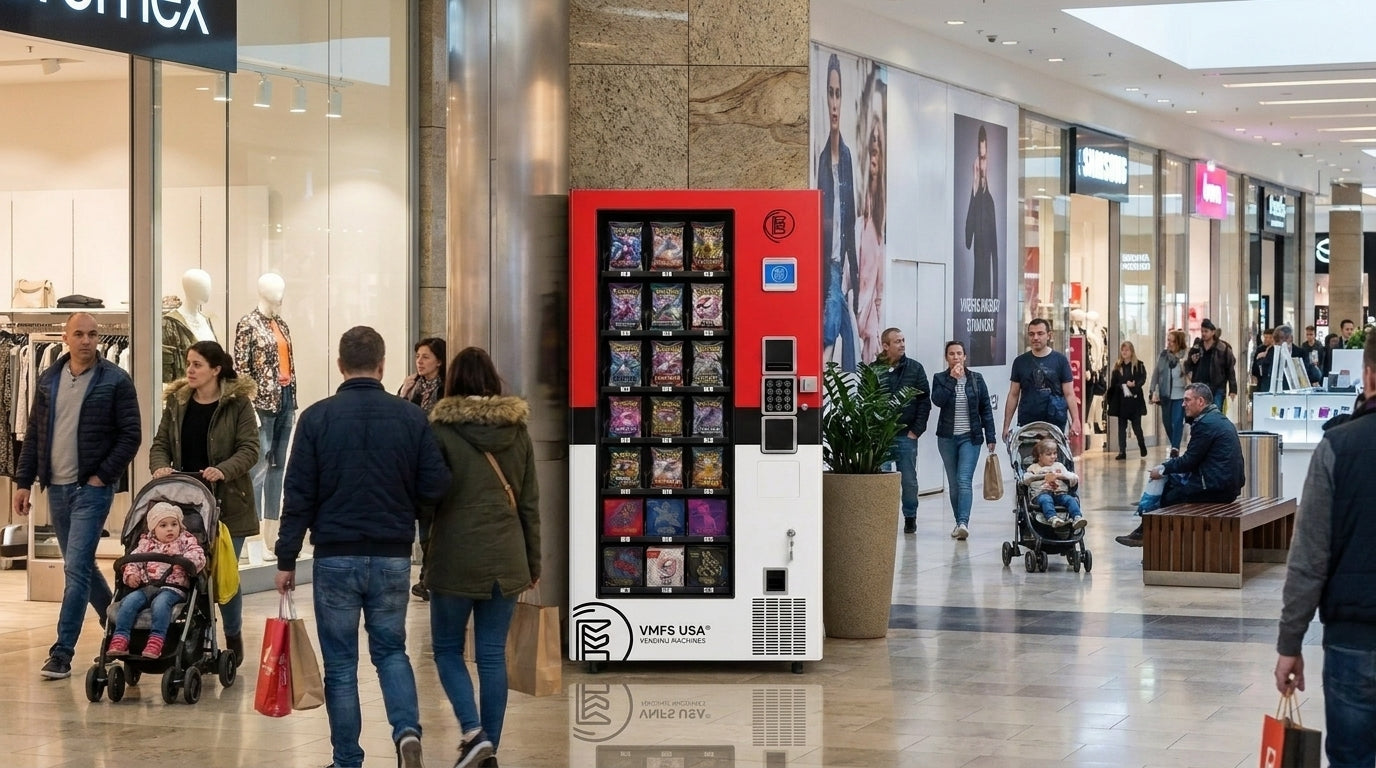


Design the perfect vending solution for your location and customers.

Join the VMFS newsletter and step into a thriving network dedicated to collective success.
One signup. Endless possibilities.
A Pokémon vending machine glitch is almost always a fault with a cause, such as a pack that fails to dispense, a card reader that goes offline or a frozen screen, rather than a trick that gets you free product. If a machine takes your money without delivering, report it to whoever runs it; for the official machines that is The Pokémon Company International's vending support line at 866-872-4790, not the store.
This guide covers both sides of the machine: what collectors should do about failed purchases, pending charges and refunds, and how operators diagnose jams, sensor errors, reader faults and screen freezes, handle refunds and prevent repeat problems.
There is no single Pokémon vending machine glitch: the phrase covers ordinary malfunctions such as frozen screens, payment errors and failed dispenses, plus the 2025 reports of official machines letting buyers get around purchase limits. No official source describes a glitch that legitimately gets you extra product, and we do not publish methods for bypassing a machine's limits or payment checks.
The purchase-limit reports are where most of the "glitch" talk started. When The Pokémon Company International (TPCi) rolled out its official trading card machines, SNKRDUNK Magazine reported in March 2025 that social media videos showed buyers purchasing well above the stated limits, that anti-loitering rules were unevenly enforced, and that predictable restock times let resellers arrive just as machines were refilled. The response was a software fix rather than a patch you could see from the front of the machine: the Los Altos Town Crier reported in April 2025 that about 400 machines nationwide had been taken offline until software limiting how many cards one person can buy was installed, and the Los Altos Safeway unit sat on a "currently performing maintenance" screen in the meantime.
Everything else people call a glitch is a fault with a cause. A pack that hangs in the delivery path, a card reader that drops its connection, a touchscreen that stops responding, or a sold-out slot that still shows stock all trace back to a specific component. That distinction matters for both audiences of this guide. Collectors need to know who can actually fix the machine and how to get their money back, while operators running their own card machines need a repeatable way to find the failing part. The rest of this guide covers both, starting with the collector side.
The most common Pokémon vending machine issues are failed dispenses, payment reader errors, frozen or black screens, maintenance lockouts and stock that shows available but will not sell. Each has a different likely cause and a different fix depending on whether you are the buyer or the machine's owner, so the table below separates the two.
| Symptom | Likely cause | Collector action | Operator action |
|---|---|---|---|
| Charged, but no product came out | Product hung in the tray or delivery path, or the vend sensor missed the drop | Photograph the screen, note the time, contact the machine owner's support | Clear the jam, check the vend sensor, review the transaction and refund if the vend failed |
| "Cannot process transactions" or card not accepted | Reader offline, reader disabled by the controller, or a network outage | Try once more with a different payment method, then report it | Check the reader status code, cabling and connectivity |
| Black or frozen screen | Software crash, display power fault or loose display cable | Do not pay; report the machine | Power cycle safely, then inspect display power and cables |
| "Performing maintenance" | Restock, service visit, software update or removal | Return later or check the official locator | Finish the visit, close the door and confirm the machine re-enters sale mode |
| Item shows available but will not vend | Inventory count out of sync or a selection disabled after a failed vend | Choose another item and report the slot | Re-count the slot, re-enable the selection and test vend |
Two of these problems have dedicated guides on our site. If the display is completely dark, our Pokémon vending machine black screen fix walks through power, cable and software checks in order. If payment is the only thing failing, the guide on how to fix a Pokémon vending machine card reader goes deeper on reader hardware and settings than this overview does.
Dispensing faults
Packs or boxes that hang, double-feed or never reach the pickup door. The most expensive issue for collectors because money is taken.
Payment faults
Readers that go offline, decline every card or never wake up. No money is lost, but the machine cannot sell.
Screen and software faults
Frozen menus, black screens and maintenance lockouts that stop the purchase flow before payment.
Inventory faults
Slots that show stock but will not vend, or items marked sold out that are still in the machine.
If a Pokémon vending machine charges you without delivering the product, document the failed purchase and report it to the company that runs the machine, which for the official machines is TPCi's vending support team, not the store. Do not keep retrying the same selection, because each attempt can create another authorization on your card while the underlying fault is still there.
The official Pokémon Automated Retail Vending Machine FAQ says all of its machines are owned and operated by TPCi, that store employees and merchandisers cannot help with machine problems, and that damaged or malfunctioning machines, vending issues and other incidents should be reported to the Pokémon Automated Retail Vending Machine Support Team. Follow these steps in order:
Collector shortcut: The store cannot refund, open or restock an official machine. Your two routes are TPCi vending support (866-872-4790) and, if that fails, your card issuer.
TPCi does not accept returns on anything bought from its vending machines, according to the same FAQ, which tells customers they may keep the item or give it away. That policy is about items you received. A purchase where nothing was delivered is a vending issue, which is exactly what the support team is there to handle, so describe it that way when you call: the machine, the time, the amount, and the fact that no product came out.
Machines that are not TPCi's work differently. Card shops, arcades and independent operators also run trading card machines, often bought from suppliers like us, and their refund process is set by the owner. Look for a support phone number or QR code on the cabinet, or ask the venue who services the machine; independent operators usually can see the exact transaction in their reader portal and refund it directly. Our guide on how to use a Pokémon vending machine explains how payment and pickup are supposed to work, which helps you describe what went wrong.
A charge you see right after a failed vend may only be an authorization hold, a temporary reservation of funds that is released if the merchant never captures it. Payment processor Stripe's documentation lists card-present authorization windows of about 5 days for Visa and 2 days for Mastercard, American Express and Discover, and notes that some card statements do not distinguish holds from settled payments, which can confuse customers. Vending readers that pre-authorize work on the same principle, so a pending amount that disappears within a few days usually means the machine recorded the failed vend correctly. The same mechanism explains many "double charge" complaints: one line is the hold, the other is the final sale.
If the charge posts and support does not fix it, a credit card billing dispute is your fallback. Under the federal Truth in Lending rules at 12 CFR 1026.13, a billing error includes a charge for property "not delivered to the consumer," and your written notice must reach the card issuer no later than 60 days after it sent the first statement showing the error. The Consumer Financial Protection Bureau recommends calling the card company right away, sending the written notice, and keeping copies of everything, which is where your photos and notes from the machine pay off. For debit cards, contact your bank directly, since the process depends on the bank and card network.
Most on-screen messages fall into three groups: the machine is deliberately out of service, the payment system cannot complete a sale, or a selection is unavailable. TPCi does not publish a list of its machine messages, so the meanings below describe how networked vending machines generally behave rather than official definitions.
This screen means the machine has been taken out of sale mode on purpose, for a restock, a service visit, a software update or a removal. It is not something a shopper can clear, and our Pokémon vending machine maintenance guide covers how long it typically lasts and when it signals a longer shutdown. If the machine shows the screen late at night, our article answering do Pokémon vending machines stop selling at night explains the other reasons a machine may be unavailable after hours.
This message usually means the payment side of the machine is not ready, either because the card reader has lost its network connection or because the machine's controller has disabled the reader. Reader maker Nayax, for example, documents a set of cash-only error codes in which the reader receives no signal from the vending machine (V00), is waiting for the machine to finish starting up (V01), or has been switched off by the machine because the door is open, the machine is in service mode or leftover credit is pending (V02). A single declined card may be your bank; every card failing points to the machine.
A sold-out or unavailable message after a recent restock is usually an inventory or limit issue rather than a fault. Official machines enforce purchase limits, and a slot that failed to vend may be disabled until a technician resets it. Stock timing is not published either: the TPCi FAQ says there is no set restock schedule and that customers will not be alerted to restocks. Our guide to finding Pokémon vending machines lists ways to locate another machine when the nearest one is empty.
Many problems collectors blame on glitches are actually the side effects of demand: purchase limits, sell-outs right after restocks, and machines being moved or removed. Understanding that context saves wasted trips and explains why an official machine can change behavior overnight.
The network has grown quickly while also shedding locations. Wargamer reported in May 2026, citing PokéBeach tracking, that there were 1,871 official TPCi machines across 28 states, up from 1,473 in May 2025, with 207 machines removed or relocated and 562 added over that period. The same report describes scalpers camping out at machines, and TPCi's FAQ asks shoppers not to question store employees or merchandisers about restocks at all. A machine that has disappeared from the official locator, or that has shown a maintenance screen for weeks, may simply be one of the units being pulled rather than a broken one.
For operators, the lesson is that limits and fairness are part of reliability. A machine that sells out to one buyer in minutes generates the same angry reviews as one that jams. Independent operators who see a release selling out in minutes can adjust pricing and slot allocation between visits, and remote pricing and settings (part of the VMFS Advertising Cloud plan at $16 per machine per month) make that possible without driving to the site.
Run trading card machines built for fragile packs
Browse VMFS specialty machines with elevator delivery and configurable trays for booster packs, tins and boxes.
See Specialty MachinesOperators should diagnose a card vending machine fault by reading the machine's own error log first, then testing the subsystem it points to, rather than swapping parts on a guess. Every modern controller records errors by subsystem, and a five-minute look at that log usually separates a dispensing problem from a payment or software one.
A manufacturer manual shows what that log looks like in practice. Seaga's EnVision owner's manual groups error codes by controller, motor, vend sensor, coin changer, bill validator and card reader, with entries such as Motor Jam, Motor Home Sensor, Optical Sensor Error, Bill Val Comm and Card RDR Comm, and pairs each with a specific check. Your machine's menu names will differ, but the structure is the same on most controllers, and it is the right starting point for the components covered in our breakdown of Pokémon vending machine components.
Dispensing jams on card machines usually come from packaging, not motors. Thin foil booster packs can slide under or over a tray divider, and boxed product can skew sideways and bind against the cabinet wall, so the first check is always how the slot was loaded. On spiral machines, the manual-style check is to inspect the motor and spiral for blockage, confirm the motor type setting, then run a test vend. Card-specific machines that use an elevator or conveyor instead of a free drop add moving parts to inspect, such as the lift's travel and the pickup door, but they avoid the impact that bends packs. Our explainer on how trading card vending machine hardware works shows where those parts sit.

A vend sensor is an infrared beam across the delivery area that confirms a product actually fell, and a dirty or misaligned sensor causes both false failures and missed refunds. The Seaga manual describes the logic clearly: if no drop is sensed, the machine keeps turning the spiral in quarter turns, and if a full revolution passes without a drop the customer is asked to make another selection or press coin return. In optical vend mode the controller runs a second vend cycle before showing "make another selection." Keep the sensor lenses free of cardboard dust using the cleaning method in your machine's manual, check the harness, and compare the sensor's readings in the diagnostics menu with the beam blocked and clear.

When the card reader stops accepting payments, check whether it is offline, disabled by the machine, or not talking to the machine at all, because each has a different fix. Most cashless readers connect to the controller over MDB (Multi-Drop Bus), the industry standard maintained by NAMA. On Nayax readers, the documented fixes are to reseat the controller and MDB cables for a no-signal error, wait for the machine to finish starting up after a power cycle, and close the door and clear leftover cash credit when the machine has disabled the reader. Cantaloupe, Nayax and PAX readers all share the same basic dependency on power, a clean MDB connection and a working network, which is why our cashless payment system guide treats connectivity as part of the reader, not an afterthought.
A frozen or black touchscreen with the cabinet lights still on usually points to the display computer or its power supply rather than the vending controller. A safe power cycle clears most software freezes; if the screen stays dark, check the display's power and video cables before ordering parts. Our step-by-step guide on how to reset a Pokémon vending machine covers the restart sequence, and the black screen guide linked above covers the hardware checks that follow it.
A machine that loses its cellular or Wi-Fi connection may still vend for cash but cannot authorize cards or report sales, so connectivity faults hit card-heavy machines hardest. Check the modem's signal indicator, the antenna position and any recent change at the venue, such as new shelving or a metal display placed beside the cabinet, before assuming a reader has failed.
Reset first when the fault is software-level and new, repair when the same error returns after a reset, and replace a part only when the diagnostics point to it. A reset that "fixes" a jam or sensor error without addressing the cause usually buys a few hours before the next customer loses money.
Before opening the cabinet to work on wiring, unplug the machine and keep the plug where you can see it, so nobody restores power while your hands are inside. Log every reset with the date, time and error, because a pattern of resets on one machine is your earliest sign that a component is failing.
Handle it yourself
Call support or a technician
Warranty terms should shape that decision. The VMFS warranty is a 1-year parts warranty that covers components such as motors, sensors, control boards and payment modules for manufacturing defects and normal use, and it excludes damage from misuse, vandalism, third-party tampering and power surges, as well as consumables such as coils. Repairs by non-authorized parties may void coverage, so for VMFS machines the right move after a failed reset is to contact VMFS support, which commits to a response within 24 hours for a machine that is down or a payment processor outage and ships in-stock replacement parts in 24 to 48 hours. Parts outside warranty can be ordered through our vending machine parts team, and returns run through the RMA request form.
Operators should configure the reader so customers are only charged for products that actually vend, publish a clear way to report a problem, and refund failed vends quickly, because a disputed charge costs more time and money than the refund. On collectible products that sell for many times the price of a snack, one unresolved failed vend can also become a public complaint.
Reader settings decide how failed vends are charged. Nayax, for example, documents its MDB flag settings: the default pre-authorization mode holds a maximum amount and then adjusts to the actual price after the vend, while a preselection mode charges only the exact product price with no temporary hold. The same documentation warns that the "charge regardless of vend success" setting can charge customers who receive nothing and significantly increases dispute risk, and that the maximum-override setting bypasses all safety checks. On a card machine, avoid both unless your vend sensor genuinely cannot report success, and fix the sensor instead.
Make the refund path visible. Put a support phone number or QR code on the cabinet, tell the venue staff who to call, and check your reader portal for failed or incomplete transactions on every visit. Customers who can reach you quickly rarely go to their bank, and the billing-error rules described earlier give cardholders 60 days from the statement to dispute an undelivered purchase, so an unanswered complaint can turn into a chargeback weeks later. Tie each refund to the error log entry for the same minute; if refunds cluster on one slot or one time of day, that is your next maintenance task.
The best way to prevent glitches is a fixed per-visit checklist plus remote alerts, so most faults are found by the operator before a collector is charged for an empty pickup bin. Card machines run fewer cycles than snack machines but carry higher-value stock, so each failed vend costs more.
On every visit, run a test vend, wipe the touchscreen and vend sensor area, check the reader's status, and look over the card slot and keypad for anything loose or added. The FBI's skimming guidance estimates that skimming costs financial institutions and consumers more than $1 billion each year and advises checking card readers for anything loose, crooked, damaged or scratched, which is a quick visual check on any unattended reader. Deeper monthly and quarterly work, from belt and elevator inspection to cable checks, is set out in our full vending machine maintenance guide.

Remote monitoring closes the gap between visits. VMFS Cloud works with every VMFS machine; plans start at $7.99 per machine per month, and it sends jam, offline, malfunction, door-open, payment-reader-down and low-stock alarms by SMS, email or dashboard, with thresholds you set. Comparing what was loaded against what sold also exposes mis-loads and phantom stock without a site visit, which is the inventory problem behind many "sold out but still full" complaints. Our Pokémon vending machine restock guide shows how to build restock visits around that sales data.
Hardware designed for trading cards fails less than a converted snack machine, because it carries packs and boxes to the customer instead of dropping them and is laid out for card product sizes from the start. Choosing the right machine is the one decision that removes whole categories of glitches rather than fixing them one visit at a time.
VMFS card machines use precision elevator delivery with adjustable conveyor trays configured to the products you plan to sell, so slot fit is set before the machine ships rather than improvised with dividers on site. The Trading Card Vending Machine is listed at $9,395, the PRO XL Trading Card Vending Machine at $10,995 and holds up to 800 packs across 8 configurable trays, and the high-capacity TCG Vending Machine at $13,275. If you are comparing other formats, the vending machines with card readers collection lists cashless-ready models across categories.
Budget and business fit belong in the same decision. Our Pokémon vending machine prices and cost guide breaks down the full outlay, the article on whether the Pokémon vending machine business is profitable covers margins, and the Pokémon card vending machine operator guide ties sourcing, placement and service together. Whatever you buy, budget time for test vends with your actual product before the machine goes live; the Seaga manual cited above recommends at least five test vends at setup, and card machines deserve the same discipline. VMFS also sells general-purpose vending machines for operators who want to add card sales to an existing route.
Catch jams and offline readers before collectors do
VMFS Cloud sends jam, offline, door-open and reader-down alerts with thresholds you set. Plans start at $7.99 per machine per month.
Explore VMFS Cloud
Share:
What is Food Vending Establishment? Legal Definition, Hardware and Business Overview
How to Fix Pokemon Vending Machine Card Reader - Technical Troubleshooting Guide