




Diseñe la solución de vending perfecta para su ubicación y clientes.

Únete al boletín de VMFS y forma parte de una red próspera dedicada al éxito colectivo.
Un registro. Posibilidades infinitas.
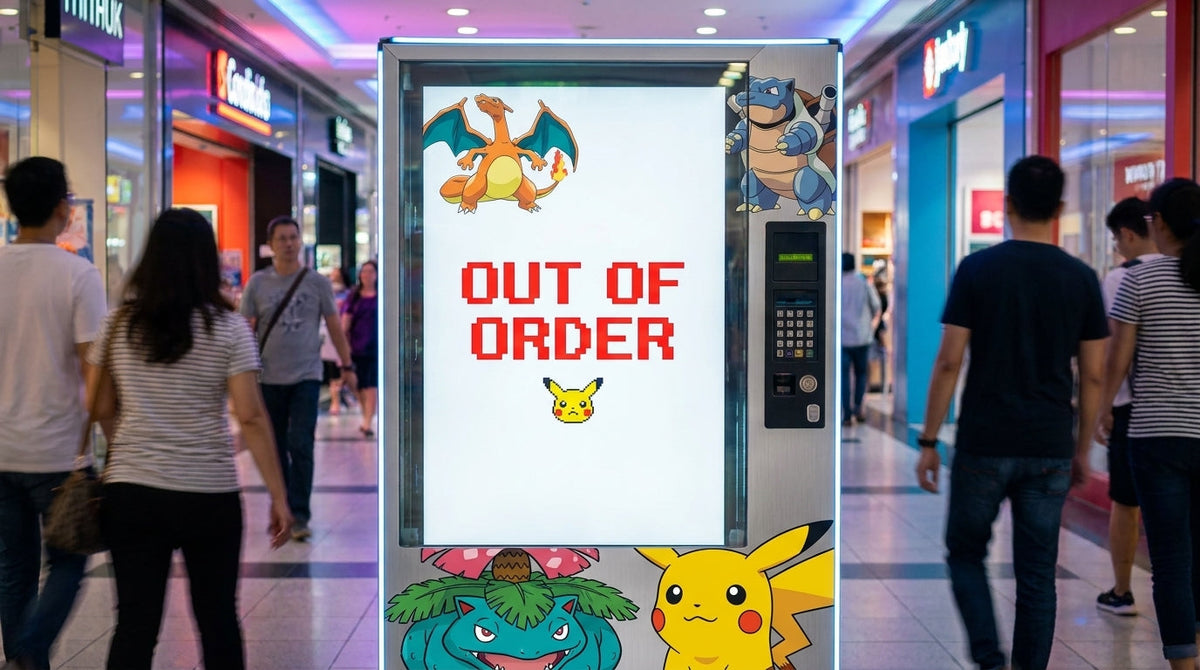
Los quioscos automáticos de tarjetas coleccionables experimentan tiempos de inactividad operativa debido a fallos electromecánicos en los digitalizadores de pantalla táctil, sensores ópticos de caída, arneses de bus de múltiples derivaciones (MDB) y motores de accionamiento de bobina. Resolver las fallas de las máquinas expendedoras de Pokémon y su solución requiere aislar los errores periféricos en el Controlador de Máquina Expendedora (VMC) para restaurar la venta de productos y el procesamiento de pagos. Comprender la arquitectura del sistema evita la pérdida de ventas, daños a los productos y disputas por reembolsos de clientes.
Revise el esquema estructurado a continuación para navegar por los procedimientos de diagnóstico de hardware, las secuencias de reinicio del sistema y las reparaciones de componentes.
La arquitectura de venta minorista automatizada se basa en un Controlador de Máquina Expendedora (VMC) centralizado conectado a lectores de pago, sensores de caída y motores de accionamiento a través de protocolos de comunicación internos. Los operadores que evalúan qué son las máquinas expendedoras de Pokémon deben analizar cómo los microcontroladores procesan las solicitudes de artículos convirtiéndolas en rotaciones físicas de motor. Identificar las fallas del sistema a tiempo mantiene la seguridad del inventario y minimiza el tiempo de inactividad de la ruta.
El protocolo de bus de múltiples derivaciones (MDB/ICP) es una arquitectura de comunicación interna estándar de maestro único que permite al Controlador de Máquina Expendedora gestionar dispositivos periféricos de forma independiente a través de una interfaz serial UART de 9 bits compartida. Los dispositivos se comunican a través de direcciones binarias asignadas, lo que permite que los validadores de billetes, los mecanismos de monedas y las terminales de tarjetas procesen transacciones simultáneamente. Revisar los componentes de las máquinas expendedoras de Pokémon confirma que la degradación física del arnés provoca tiempos de espera de comunicación en todo el sistema.

Las fallas de hardware se originan en tres dominios operativos distintos: fluctuaciones de entrada eléctrica, atascos mecánicos de accionamiento y contaminación de sensores ópticos. Las caídas de tensión por debajo de 21.6V CC en el bus de 24V provocan que los lectores de tarjetas pierdan la conexión, mientras que la acumulación de polvo bloquea los haces ópticos infrarrojos en la tolva de entrega. Comprender cómo funcionan las máquinas expendedoras de Pokémon ayuda a los técnicos a distinguir entre bloqueos de memoria de software y fallas físicas reales de los componentes mecánicos.
| Dominio del subsistema | Síntoma de fallo principal | Causa raíz física | Método de diagnóstico |
| Pantalla táctil | Pantalla congelada / Entrada táctil desplazada | Deriva del digitalizador USB o bloqueo del controlador GPU | Arranque en frío del hardware y reconexión USB |
| Mecanismo de venta | El motor de bobina gira sin fin o se atasca | Relé del motor en cortocircuito o latas de refuerzo dobles | Prueba de intercambio de motor entre posiciones de estante |
| Detección de caída | Falsa "Sin existencias" / Reembolso no ganado | Polvo en emisores infrarrojos / Desalineación del receptor | Menú de autoprueba y limpieza de lente óptica |
| Pasarela de pago | El lector de tarjetas muestra "Desconectado" | Señal RSSI inferior a -95 dBm o corrosión en pines del arnés MDB | Prueba de voltaje con multímetro y movimiento de antena |
Diagnosticar las fallas de las máquinas expendedoras de Pokémon y su solución requiere aislar las fallas periféricas en cuatro subsistemas principales: la interfaz de usuario de pantalla táctil, los motores mecánicos de venta, los sensores ópticos de caída y la pasarela de pago MDB. La mayoría de los errores de campo se resuelven ejecutando protocolos de diagnóstico sistemáticos sin reemplazar placas de circuito de alto costo.
Mal funcionamiento del sistema detectado ──> Inspeccionar arnés MDB y alimentación ──> Acceder al menú de diagnóstico VMC ──> Ejecutar prueba de periféricos
| Código de error / Síntoma | Causa raíz inmediata | Acción correctiva requerida |
| Pantalla negra / Sin respuesta | Pérdida de energía de la pantalla o bloqueo del SO | Ejecutar ciclo de encendido completo e inspeccionar rieles del inversor de 12V CC |
| Error E1 / Ciego óptico | Escombros bloqueando el haz de la tolva | Limpiar lentes de sensores con toallitas de isopropilo; verificar alineación del haz |
| Error E3 / Tiempo de espera del motor | Atasco de bobina del producto o cortocircuito del motor | Desatascar bobina de la bandeja; cambiar cable del motor al canal funcional adyacente |
| Alerta "Desconectado" sin efectivo | Caída de señal celular o falla de MDB | Reconectar el arnés MDB de 6 pines; reubicar la antena al exterior del gabinete |
La falta de respuesta del digitalizador de pantalla táctil ocurre cuando los paneles de vidrio sucios, los cables de control USB sueltos o los bloqueos del controlador del sistema operativo impiden que las señales de entrada lleguen a la unidad de procesamiento principal. Los quioscos de tarjetas modernos dependen de sensores táctiles capacitivos proyectados (PCAP) que requieren una conexión a tierra precisa para rechazar la estática ambiental.
Los bloqueos del sistema se presentan como pantallas negras o cuadrículas de selección de artículos congeladas mientras la iluminación del gabinete de fondo permanece completamente encendida. Los técnicos deben seguir los pasos para solucionar errores de pantalla negra en máquinas expendedoras de Pokémon verificando las conexiones de alimentación HDMI y 12V antes de reemplazar el hardware de la pantalla. Desconectar la alimentación principal durante 60 segundos borra los búferes de RAM volátiles, permitiendo que el sistema operativo complete una secuencia de arranque limpia.
Advertencia de seguridad: Apague siempre los disyuntores principales antes de tocar el cableado interno. Los picos de voltaje al encender pueden arruinar las placas controladoras de pantalla sensibles.
Los errores de desplazamiento táctil ocurren cuando los toques físicos se registran a varias pulgadas de distancia del elemento de pantalla seleccionado. Acceda al menú de mantenimiento del sistema VMC usando el teclado interno para iniciar la utilidad de calibración táctil de 5 puntos. Toque cada objetivo de esquina con precisión usando un lápiz óptico para volver a escribir las matrices de mapeo de coordenadas dentro del firmware de control.

Los errores de accionamiento mecánico se derivan de productos atascados dentro de las bobinas de la bandeja, desgaste de engranajes del motor o desgaste de los pines de contacto de la bandeja en el plano posterior del gabinete. Debido a que los artículos de tarjetas coleccionables van desde paquetes de refuerzo livianos hasta pesadas cajas de entrenador de élite, la selección del paso de la bobina influye directamente en la confiabilidad de la dispensación.
Los atascos de productos ocurren cuando las cajas de tarjetas se desplazan lateralmente durante la rotación del motor, atrapando el embalaje entre la bandeja del estante y las paredes laterales del gabinete. Los mecanismos de doble bobina que dispensan artículos anchos deben girar en sincronía para empujar la mercancía hacia adelante de manera uniforme. Ajustar la tensión del resorte e instalar guías laterales de plástico liso evita que los paquetes de refuerzo de aluminio delgados se deslicen debajo de las bobinas del motor durante la rotación.
El fallo en la entrega del artículo ocurre cuando la aleta inferior de la tolva permanece atascada abierta o las barras de empuje mecánicas no logran restablecerse a la posición inicial. El polvo de cartón de las cajas minoristas se acumula en los rieles deslizantes, aumentando la fricción mecánica con el tiempo. Limpiar las vías de entrega con paños de microfibra húmedos restaura las caídas por gravedad suaves sin aplicar lubricantes pegajosos.
Los sensores ópticos de caída consisten en emisores LED infrarrojos emparejados y receptores de fototransistor montados a través de las paredes de la tolva de entrega para confirmar la entrega del producto. El VMC retiene los fondos del cliente hasta que un paquete que cae rompe el haz de luz óptica.

La acumulación de polvo sobre las lentes ópticas reduce la transmisión de luz, lo que provoca errores falsos de detección de caída y ciclos de reembolso de tarjetas injustificados. Inspeccione las placas de circuito verde montadas dentro de la tolva de entrega para detectar cambios en la alineación física o residuos de cartón. Limpie las lentes ópticas con hisopos de alcohol isopropílico al 99% para eliminar la acumulación de película sin rayar las cubiertas acrílicas.
Verifique el funcionamiento del sensor de caída accediendo al menú de diagnóstico del sistema VMC y seleccionando el protocolo de prueba del sensor óptico. Ejecute la rutina de autodiagnóstico para evaluar la continuidad eléctrica en todas las matrices de sensores. Realice una prueba manual pasando una tarjeta opaca por el conducto de entrega para confirmar que el estado del sensor cambie instantáneamente de "Libre" (Clear) a "Bloqueado" (Blocked) en la pantalla de control.
Las fallas en el lector de pagos provocan pérdidas de ingresos cuando las terminales de tarjeta no autorizan las transacciones o se desconectan durante el procesamiento de pagos sin contacto (tap-to-pay). Comprender los estándares oficiales MDB de la National Automatic Merchandising Association (NAMA) permite a los operadores diagnosticar correctamente los errores de comunicación serial entre múltiples dispositivos.
Los lectores de pago sin efectivo muestran "Offline" o "Error de comunicación" cuando los niveles de señal celular caen por debajo de los umbrales RSSI de -95 dBm o cuando las conexiones del arnés MDB se aflojan por vibración. Compruebe las barras de intensidad de la señal de telemetría en la interfaz del módem dentro de la puerta del gabinete. Reubicar las antenas magnéticas tipo "puck" en la parte superior exterior del gabinete, lejos de las estructuras metálicas, resuelve los problemas de baja señal.
Las interrupciones de transacciones ocurren cuando las solicitudes de preautorización MDB Nivel 1 exceden los límites de respuesta de 15 segundos debido a la latencia de la red. Configurar los lectores de tarjetas para la operación de post-pago MDB Nivel 3 permite a los clientes explorar artículos antes de procesar los pagos. Vuelva a insertar los conectores del arnés MDB en línea de 6 y 8 pines para eliminar la resistencia de la capa de corrosión en los rieles de alimentación de 24 V.
Los operadores que deseen actualizar lectores de pago obsoletos pueden adquirir unidades especializadas de una empresa establecida como Vending Machine Company in USA para soportar transacciones modernas sin contacto con Apple Pay.
La placa lógica del controlador de la máquina expendedora (VMC) coordina los relés de potencia del motor, las entradas de los sensores y las rutinas de autorización de pago. Las fluctuaciones de energía o los bloqueos de memoria requieren realizar restablecimientos lógicos estructurados para borrar los registros de fallas.
Ejecutar un reinicio correcto del sistema requiere apagar el interruptor de alimentación principal y desconectar el arnés MDB durante 30 segundos. Este retraso permite que los condensadores se descarguen por completo, eliminando los bloqueos de memoria falsos almacenados en los microcontroladores de control. Mida la salida del transformador de CA secundario bajo carga del motor utilizando un multímetro para verificar que las líneas de suministro mantengan salidas estables de 24 V CA.
Los errores persistentes de firmware requieren borrar la memoria de acceso aleatorio no volátil (NVRAM) de la placa principal. Acceda a la configuración del sistema para revisar las instrucciones detalladas sobre cómo restablecer una máquina expendedora de Pokémon a los parámetros de fábrica. Resincronice el firmware del VMC con los portales de gestión en la nube para restaurar las tablas de precios actualizadas y los diseños de configuración del motor.
Para reemplazar placas de control defectuosas o actualizar equipos más antiguos, los operadores pueden adquirir una máquina expendedora de cartas Pokémon equipada con hardware VMC moderno.
El cuidado preventivo programado evita fallas mecánicas y reduce las llamadas de servicio de emergencia en las rutas activas. Los operadores deben seguir un estricto programa de mantenimiento de máquinas expendedoras de Pokémon para mantener la longevidad del hardware.
El mantenimiento de rutina requiere probar el movimiento mecánico de las bandejas, verificar los sensores ópticos y limpiar las pantallas táctiles. Los operadores que revisan cómo realizar el mantenimiento de una máquina expendedora de Pokémon detectan el desgaste menor de los componentes antes de que provoque tiempos de inactividad en la máquina.
| Frecuencia | Componente de hardware objetivo | Tarea de mantenimiento | Herramientas necesarias |
| Semanal | Sensores ópticos de la tolva | Limpiar el polvo de las lentes del emisor infrarrojo | Alcohol isopropílico al 99% y bastoncillos |
| Semanal | Vidrio táctil PCAP | Eliminar huellas dactilares y suciedad superficial | Paño de microfibra y limpiador de pantallas |
| Mensual | Arneses del motor de la bandeja | Inspeccionar los pines de contacto dorados en busca de corrosión | Spray limpiador de contactos eléctricos |
| Trimestral | Toma de tierra del gabinete | Apretar los tornillos de tierra verdes al marco | Destornillador y multímetro |
Colocar las máquinas en entornos de alta humedad o con energía inestable provoca ruido eléctrico en las líneas de comunicación MDB. Instale supresores de sobretensiones comerciales clasificados para al menos 1080 Julios para proteger las placas de control contra picos de energía de la red eléctrica. Verifique que el cable de tierra de la toma de corriente muestre voltaje cero en relación con las líneas neutras para evitar la acumulación de estática en el vidrio de la pantalla táctil.
Escalar una operación minorista automatizada requiere combinar habilidades de diagnóstico mecánico con cumplimiento legal, búsqueda de ubicaciones y compra de hardware. Los operadores revisan la guía del operador de máquinas expendedoras de cartas Pokémon 2026 para estructurar los flujos de trabajo de la empresa de manera eficiente.
La ubicación estratégica determina la rentabilidad de la máquina en las rutas minoristas comerciales. Los operadores revisan una lista de verificación previa a la colocación para máquinas de cartas completa e investigan las mejores ubicaciones para máquinas expendedoras de Pokémon para encontrar tiendas anfitrionas con alto tráfico peatonal.
Para encontrar máquinas activas o analizar la densidad del mercado regional, los coleccionistas y operadores consultan las ubicaciones de las máquinas expendedoras de Pokémon o aprenden cómo encontrar una máquina expendedora de Pokémon en Kroger. Los gestores de rutas utilizan herramientas de mapeo digital para administrar los horarios y conocer cómo encontrar máquinas expendedoras de Pokémon en las cadenas minoristas regionales.
Los operadores que amplían su capacidad de inventario pueden desplegar una máquina expendedora de Pokémon grande para puntos de venta minoristas de gran volumen, o elegir una compacta máquina expendedora de TCG para diseños de piso reducidos en tiendas de juegos.
Los propietarios de inmuebles con espacio minorista abierto pueden registrar su ubicación para la instalación de máquinas expendedoras para asociarse con operadores de tarjetas locales verificados.
La operación legal de máquinas de tarjetas coleccionables requiere cumplir con las directrices de propiedad intelectual y las normativas fiscales locales. Revise las regulaciones sobre la venta legal de cartas Pokémon en máquinas expendedoras y las reglas sobre el uso del logotipo de Pokémon en una máquina expendedora de TCG.
Para proteger la responsabilidad personal, los empresarios deben formar una LLC para un negocio de máquinas expendedoras antes de firmar contratos de arrendamiento de espacios comerciales. Siempre ejecute un acuerdo de colocación de máquinas expendedoras formal con los propietarios de los inmuebles para definir la cobertura de responsabilidad y los derechos de servicios eléctricos.
Al combinar el mantenimiento preventivo estructurado con un marketing eficaz, los operadores aumentan la rentabilidad de las máquinas expendedoras de Pokémon. Los nuevos propietarios de negocios pueden leer guías completas sobre cómo iniciar y operar una máquina expendedora de Pokémon, aprender cómo comercializar una máquina expendedora de Pokémon, investigar sobre la compra de una máquina expendedora de Pokémon, o encontrar opciones sobre dónde comprar una máquina expendedora de Pokémon para expandir sus rutas comerciales.
Los apagones de pantalla ocurren cuando el software del sistema operativo falla, los inversores de potencia de la pantalla fallan o los cables HDMI se desconectan internamente. Realice un ciclo de energía de la placa principal de 60 segundos para restablecer la memoria volátil del sistema y reiniciar la pantalla.
Solucione los errores del sensor de caída limpiando el polvo de las lentes del emisor y receptor infrarrojos dentro de la tolva de entrega con alcohol isopropílico. Acceda al menú de diagnóstico de la VMC para ejecutar una rutina de calibración de prueba automática.
Los lectores de tarjetas muestran un estado sin conexión cuando la intensidad de la señal de telemetría celular cae por debajo de -95 dBm o cuando los conectores del arnés MDB se aflojan. Vuelva a colocar el cable MDB de 6 pines y reubique la antena en el exterior del gabinete.
Elimine los atascos de motor tirando de la bandeja de productos hacia adelante, retirando la mercancía atascada y verificando si hay errores de alineación de la bobina. Pruebe la función del motor intercambiando los cables del arnés con una ranura adyacente que funcione en el menú de diagnóstico.
El Multi-Drop Bus (MDB) es un protocolo de comunicación interno estandarizado que conecta el controlador lógico principal con periféricos de pago como aceptadores de billetes y lectores de tarjetas. Permite que múltiples dispositivos se comuniquen a través de un único bus compartido.
Reinicie la máquina apagando el interruptor principal, desconectando el arnés MDB principal durante 30 segundos y volviendo a encender la alimentación. Esto descarga los condensadores de la placa y borra los errores temporales de memoria.
Si un paquete no cae, los sensores ópticos de caída detectan el artículo faltante e instruyen automáticamente a la VMC para revertir las preautorizaciones de tarjetas de crédito. Las fallas de pago ocurren cuando los ojos ópticos polvorientos no logran registrar las interrupciones de luz.
Realice la limpieza básica de lentes ópticas y vidrio semanalmente, con pruebas detalladas de voltaje eléctrico e inspecciones de motor mensuales. Adherirse a los programas de cuidado regular evita más del 80% de las fallas de los componentes en campo.
Las líneas de arnés MDB estándar entregan 24V CC a las terminales de pago y a los periféricos de control. Las caídas de voltaje por debajo de 21.6V CC indican degradación del transformador o corrosión en los pines del arnés.
Sí, los errores de desplazamiento de la pantalla táctil se pueden recalibrar ingresando a la configuración interna del sistema VMC y ejecutando el menú de calibración táctil de 5 puntos. Tocar las cruces objetivo restablece las matrices de mapeo de coordenadas dentro del controlador.
Compartir:
Cómo encontrar máquinas expendedoras de Pokémon: Localizador oficial y guía de búsqueda
Cómo obtener una licencia de venta de alimentos: guía completa de reglamentos y permisos