


Las máquinas expendedoras de IA combinan visión artificial, sensores de peso, terminales de pago, cerraduras electrónicas, refrigeración, computación integrada y software en la nube en un solo sistema minorista desatendido. Esto las hace más capaces que las máquinas expendedoras tradicionales, pero también genera más puntos de falla dependientes de la tecnología.
Los problemas más comunes de las máquinas expendedoras de IA involucran la calibración de cámaras o sensores, procesamiento de pagos, conectividad de red, cerraduras de puertas, refrigeración, sincronización de inventario y errores de software. VMFS USA identifica la desviación de la cámara/sensor, fallas del compresor, fallas en la terminal de pago, problemas de conectividad y fallas en el mecanismo de bloqueo entre las principales categorías que requieren servicio.
La buena noticia es que la mayoría de las fallas son diagnosticables. Una máquina que deja de reconocer productos no necesita automáticamente un reemplazo. El problema puede ser tan simple como una cámara bloqueada, una posición de estante cambiada, una conexión de red inestable o un problema de calibración del sensor.
Diagnóstico rápido: Comience con el mensaje de error de la máquina o el panel de control en la nube, luego verifique la energía, la conectividad, los sensores, el hardware de pago, las cerraduras de las puertas y la temperatura antes de reemplazar los componentes.
Problemas e inconvenientes comunes de las máquinas expendedoras de IA
Los 10 problemas más comunes de un vistazo
| Problema | Síntoma típico | Primera área a revisar | Impacto operativo |
|---|---|---|---|
| Errores de reconocimiento de producto | Se detecta el artículo incorrecto | Cámaras, iluminación, colocación del producto | Alto |
| Errores del sensor de peso | El recuento de artículos no coincide | Calibración del estante | Alto |
| Fallo en el pago | Tarjeta o billetera móvil rechazada | Terminal de pago/red | Muy alto |
| Fallo en la cerradura de la puerta | La puerta no se desbloquea | Cerradura, autorización, alimentación | Muy alto |
| Pérdida de conexión a internet | Los datos en la nube dejan de actualizarse | Conexión celular/Wi-Fi | Alto |
| Desajuste de inventario | El stock del panel es inexacto | Sensores, sincronización de transacciones | Medio–Alto |
| Problema de refrigeración | La temperatura sube | Compresor, ventilador, sensores | Muy alto para alimentos frescos |
| Bloqueo de pantalla táctil/software | La interfaz deja de responder | Software, alimentación, red | Medio–Alto |
| Detección falsa de artículos | El sistema cobra incorrectamente | Vista de cámara, fusión de sensores | Muy alto |
| Interrupción de la nube/panel | Monitoreo remoto no disponible | Conexión/servicio en la nube | Medio–Alto |
Una máquina expendedora de IA es esencialmente un sistema minorista conectado. La falla de un subsistema puede afectar a otro porque el pago autoriza el acceso, los sensores validan el movimiento del producto, el software registra la transacción y la conectividad sincroniza el evento con la nube.
Entendiendo cómo funciona una máquina expendedora de IA
Por qué las máquinas expendedoras de IA tienen diferentes puntos de falla
Una máquina expendedora de IA no depende de un mecanismo de bobina tradicional para dispensar un producto seleccionado. En cambio, los sistemas modernos de "agarrar y llevar" pueden usar cámaras, sensores de peso, una computadora integrada, cerraduras electrónicas, hardware de pago y software en la nube para reconocer lo que los clientes retiran y calcular automáticamente la transacción.
Aprenda cómo funcionan las máquinas expendedoras de IA antes de solucionar problemas en componentes individuales.
Una transacción típica sigue esta secuencia:
Autorización de pago → Desbloqueo de puerta → Retiro del producto → Detección por visión artificial/sensores → Cálculo de la transacción → Captura del pago → Actualización de inventario → Sincronización con la nube
Un problema en cualquier etapa puede interrumpir la experiencia del cliente.
Componentes de la máquina expendedora de IA que más importan
| Componente | Función principal | Falla común |
| Cámaras de IA | Identifican productos y movimientos | Lente sucia, mala iluminación, desalineación |
| Sensores de peso | Verifican el movimiento del producto | Desviación de calibración, movimiento del estante |
| Terminal de pago | Autoriza el pago | Falla de red o de terminal |
| Cerradura electrónica | Controla el acceso a la puerta | Alimentación, actuador, problema de autorización |
| Computadora integrada | Procesa la lógica de la máquina | Bloqueo de software o falla de hardware |
| Módulo de conectividad | Conecta la máquina a la nube | Señal celular/Wi-Fi débil |
| Plataforma en la nube | Inventario y monitoreo | Interrupción de sincronización o servicio |
| Compresor/ventiladores | Mantienen la temperatura | Sobrecalentamiento, bloqueo, falla de componente |
| Pantalla táctil | Interfaz del cliente | Bloqueo, pantalla dañada, problema de software |
Vea el desglose de piezas de la máquina expendedora de IA para una explicación a nivel de componentes.
Problemas de visión artificial y reconocimiento de productos
¿Qué causa que las máquinas expendedoras de IA reconozcan el producto equivocado?
Los errores de reconocimiento de productos por IA generalmente ocurren porque las cámaras no pueden identificar claramente un artículo o porque la información visual entra en conflicto con los datos del sensor. La iluminación, la colocación del producto, las vistas obstruidas de la cámara, los cambios en el embalaje y los problemas de calibración pueden afectar el reconocimiento.
Los sistemas modernos de IA de "agarrar y llevar" pueden combinar el reconocimiento por cámara con la detección de peso para verificar el movimiento del producto. VMFS describe sistemas que utilizan cámaras cenitales y estantes con detección de peso para la verificación del producto.
Síntomas comunes de la visión artificial
Puede notar:
- Aparece el producto equivocado en la transacción.
- No se detecta un artículo después de ser retirado.
- Un artículo devuelto permanece en la factura del cliente.
- Se confunden productos de apariencia similar.
- El inventario disminuye en la cantidad incorrecta.
- El reconocimiento se vuelve menos confiable después de reorganizar los productos.
Cómo solucionar errores de reconocimiento de IA
Comience con las causas físicas más simples.
1. Inspeccione las cámaras.
El polvo, las huellas dactilares, la condensación, las pegatinas o el embalaje pueden obstruir el campo de visión.
2. Compruebe la iluminación.
Un producto claramente visible para una persona aún puede ser difícil de distinguir para un modelo de visión si el resplandor o las sombras afectan la imagen de la cámara.
3. Restaure la colocación constante del producto.
Los grandes cambios en el embalaje, los productos apilados o las orientaciones inusuales pueden cambiar lo que ve la cámara.
4. Compruebe la calibración del sensor.
Si el reconocimiento de la cámara y los datos de peso del estante discrepan repetidamente, la calibración o la alineación del sensor podrían ser las responsables.
5. Revise cambios recientes de SKU.
Los nuevos envases pueden crear problemas de reconocimiento si la base de datos de productos o el modelo de reconocimiento de la máquina no se han actualizado.
Consejo del operador: No culpe inmediatamente al modelo de IA. Primero elimine problemas de obstrucción de la cámara, iluminación, posicionamiento de estantes, calibración de sensores y configuración del producto.
Errores de sensor de peso e inventario
¿Por qué una máquina expendedora de IA muestra el inventario incorrecto?
Las discrepancias de inventario generalmente ocurren cuando el estado físico del producto en la máquina no coincide con lo que registraron sus sensores y software.
Los sensores de peso son particularmente útiles porque proporcionan una segunda señal junto con la visión artificial. Sin embargo, aún pueden desviarse o producir lecturas inexactas cuando los estantes se mueven, los productos se cargan incorrectamente o cambia la calibración.
Problemas típicos de los sensores de peso
| Síntoma | Causa probable | Acción recomendada |
| Producto retirado pero no registrado | Falla del sensor o de reconocimiento | Verifique el sensor del estante y la cámara |
| Producto devuelto pero aún cobrado | Estado de transacción no actualizado | Revise el registro de eventos |
| Recuento de inventario muy alto | No se detectó el retiro | Pruebe el movimiento del producto |
| Recuento de inventario muy bajo | Detección falsa | Inspeccione las lecturas de cámara y peso |
| El mismo SKU falla repetidamente | Problema de calibración/configuración | Recalibre y pruebe |
| Errores después de reabastecer | Se cambió la colocación del producto | Restaure la configuración aprobada |
Un método útil de solución de problemas es probar un producto a la vez. Retírelo, devuélvalo, retire otro producto y compare el movimiento físico con el registro de transacciones de la máquina.
Esto aísla si el problema se origina en la cámara, el sensor de peso, la lógica de transacciones o la sincronización en la nube.
Problemas de pago en máquinas expendedoras de IA
¿Por qué una máquina expendedora de IA no acepta tarjetas?
Las fallas de pago suelen ser causadas por la terminal de pago, la conexión de red, la configuración del procesador, la interrupción de energía o una falla en la autorización.
Las máquinas expendedoras de IA dependen en gran medida de la autorización de pago porque el evento de pago también puede controlar el acceso a la máquina. Si la autorización falla, la cerradura electrónica puede permanecer cerrada.
Los entornos de pago modernos incluyen terminales de pago desatendidos, que están cubiertos específicamente por los requisitos de seguridad PCI.
Síntomas comunes de pago
| El cliente ve | Posible causa |
| Tarjeta rechazada | Autorización del emisor o procesador |
| "Pago no disponible" | Problema de red o terminal |
| El toque no hace nada | Problema con el lector NFC/sin contacto |
| La puerta permanece bloqueada | La autorización de pago no se completó |
| El pago tiene éxito pero la puerta no abre | Problema de comunicación de bloqueo/control |
| Intentos de pago repetidos | Inestabilidad de la terminal o conectividad |
| Falta el recibo | Problema de sincronización de transacción/nube |
Qué revisar primero
Compruebe si la terminal tiene energía y se muestra normalmente. Luego verifique la conexión a Internet de la máquina e inspeccione el estado o el código de error del proveedor de pagos.
No pruebe repetidamente el pago con tarjetas reales de clientes cuando el sistema no funciona correctamente. Utilice el procedimiento de diagnóstico aprobado por el fabricante.
Las terminales de pago también caen dentro del entorno más amplio de seguridad de datos de tarjetas. PCI SSC establece que las terminales de pago involucradas en la captura, procesamiento o transmisión de datos de cuentas están sujetas a los requisitos aplicables de PCI DSS.
Comprenda cómo funciona el procesamiento de tarjetas en máquinas expendedoras de IA.
Problemas de conectividad y monitoreo en la nube
¿Qué sucede cuando una máquina expendedora de IA pierde Internet?
Una falla de conectividad puede impedir la sincronización en la nube en tiempo real, el monitoreo remoto, las actualizaciones de inventario, las alertas y algunas funciones de pago, dependiendo de la arquitectura de la máquina.
Las máquinas expendedoras de IA comúnmente utilizan conectividad celular o Wi-Fi para comunicarse con las plataformas en la nube. La máquina puede seguir operando localmente para algunas funciones, pero las características dependientes de la nube pueden quedar no disponibles.
Señales de un problema de conectividad
Un problema de conectividad es probable cuando:
- Las ventas dejan de aparecer en el panel.
- Las actualizaciones de inventario se retrasan.
- Las alertas remotas dejan de llegar.
- Los cambios de precios no llegan a la máquina.
- La máquina muestra repetidamente errores de conexión.
- La autorización de pago se vuelve poco confiable.
Solución de problemas de conectividad
Compruebe primero la intensidad de la señal de la máquina. Luego inspeccione el módem, la configuración de SIM/eSIM, el enrutador, las credenciales de Wi-Fi, la antena y el estado de la red.
Si varias máquinas en la misma ubicación fallan simultáneamente, investigue la red a nivel de sitio antes de reemplazar el hardware individual.
Mejor práctica: Una máquina expendedora conectada debe tener un proceso de recuperación definido para cortes de red. Los operadores deben saber qué funciones continúan localmente y cuáles requieren una conexión activa.
Problemas con la cerradura de puerta de la máquina expendedora de IA
¿Por qué no se desbloquea la puerta de una máquina expendedora de IA?
La puerta puede permanecer bloqueada porque falló la autorización de pago, la cerradura electrónica perdió energía, el tablero de control no recibió la orden de desbloqueo o el mecanismo de bloqueo en sí ha fallado.
La cerradura es un componente de seguridad crítico porque protege el inventario mientras permite el acceso controlado al cliente.
Solución de problemas de la cerradura de puerta
Compruebe la secuencia en lugar de forzar la puerta:
¿Pago autorizado? → ¿Se emitió la orden de desbloqueo? → ¿Máquina encendida? → ¿La cerradura recibe energía? → ¿Obstrucción mecánica? → ¿El sistema de control informa un error?
Nunca fuerce la apertura de una puerta expendedora electrónica. Hacerlo puede dañar la cerradura, la alineación de la puerta, el cableado, los sellos o el gabinete.
Si la máquina autoriza el pago repetidamente pero no se desbloquea, trate el problema como de alta prioridad, ya que es posible que se realicen cargos o autorizaciones temporales a los clientes sin que estos reciban el acceso normal.
Problemas de refrigeración y temperatura
¿Por qué una máquina expendedora con IA se calienta demasiado?
Los problemas de temperatura suelen deberse a una restricción en el flujo de aire, fallos en los componentes de refrigeración, calor ambiental excesivo, condensadores sucios, problemas en el sellado de la puerta o fallos en los sensores de temperatura.
Este problema es más importante en las máquinas que venden alimentos frescos, lácteos, sándwiches, comidas preparadas u otros productos que requieren control de temperatura.
El Código Alimentario de la FDA incluye requisitos específicos para las máquinas expendedoras que dispensan alimentos que requieren control de tiempo/temperatura por seguridad. Por ejemplo, el equipo de venta debe tener controles que impidan la venta cuando un fallo provoca que las temperaturas salgan de las condiciones requeridas.
Señales de advertencia de refrigeración
| Señal de advertencia | Qué puede indicar |
| La temperatura sube lentamente | Degradación del rendimiento de enfriamiento |
| La temperatura sube rápidamente | Problema importante de refrigeración o alimentación |
| El compresor funciona constantemente | Problema de carga térmica, flujo de aire o refrigeración |
| Condensación excesiva | Problema de sellado de la puerta, humedad o temperatura |
| Ruido del ventilador | Obstrucción o fallo del ventilador |
| Alertas de temperatura | Problema del sensor o de la temperatura real |
| La máquina apaga la refrigeración | Fallo de control o seguridad |
No siga vendiendo productos sensibles a la temperatura simplemente porque la máquina aún acepte pagos.
Siga las normas de seguridad alimentaria aplicables, las instrucciones del fabricante y los requisitos locales para la eliminación de productos y el mantenimiento de las máquinas.
Fallos de pantalla táctil, software y placa de control
¿Por qué se bloquea la pantalla táctil de una máquina expendedora con IA?
Una pantalla táctil bloqueada puede ser resultado de un error de software, un proceso del sistema sobrecargado, un fallo de comunicación, hardware de pantalla táctil defectuoso o energía inestable.
La pantalla táctil es solo una parte del sistema. Una interfaz bloqueada no significa necesariamente que todo el sistema de IA haya fallado.
Intente realizar el procedimiento de reinicio aprobado por el fabricante. Luego, verifique si las cámaras, la terminal de pago, la refrigeración, los bloqueos y la conexión a la nube de la máquina siguen funcionando.
Si el mismo error de software vuelve a aparecer después de cada reinicio, registre el mensaje de error exacto, la marca de tiempo, el ID de la máquina y los cambios recientes antes de contactar al soporte técnico. Esa información puede reducir significativamente el tiempo de diagnóstico.
Cargos erróneos y discrepancias en transacciones
¿Qué debe hacer si una máquina expendedora con IA cobra por el artículo incorrecto?
Primero guarde el registro de la transacción y luego compare el recibo del cliente con el reconocimiento de la máquina y los eventos de los sensores.
No diagnostique una disputa de facturación únicamente a partir del recuento de inventario.
Una transacción puede contener múltiples puntos de datos:
- Autorización de pago
- Evento de apertura de puerta
- Detección de cámara
- Cambio de peso
- Evento de cierre de puerta
- Identificación del producto
- Monto final de la transacción
- Captura del pago
- Sincronización de inventario
La pregunta importante es dónde divergieron los datos.
Por ejemplo, si la cámara identificó un producto correctamente pero la transacción final contenía otro SKU, el problema puede ser el software o la asignación de productos en lugar del hardware de la cámara.
Si tanto los datos de la cámara como los del peso muestran el producto correcto pero el monto del pago es incorrecto, investigue la configuración de la transacción o la integración de pagos.
Lista de verificación de mantenimiento de máquinas expendedoras con IA
Controles diarios
La inspección diaria no tiene por qué ser complicada. Céntrese en las condiciones que afectan directamente las ventas y la confianza del cliente.
- Verifique el estado de la máquina y las alertas activas.
- Revise la temperatura de las unidades refrigeradas/congeladas.
- Confirme que la terminal de pago esté en línea.
- Inspeccione las cámaras en busca de obstrucciones.
- Compruebe si hay movimientos obvios de productos o estantes.
- Revise errores de transacción inusuales.
Controles semanales
Una inspección semanal más profunda debe incluir la limpieza de la cámara, la colocación de productos, el estado de los estantes, los sellos de las puertas, la precisión del inventario, el estado de la red y los registros de errores.
Compare el inventario físico con el panel de control. Las discrepancias repetidas son más útiles para el diagnóstico que un desajuste aislado.
Controles mensuales
Revise:
- Precisión de reconocimiento
- Fallos de pago
- Interrupciones de conectividad
- Alertas de temperatura
- Errores de bloqueo de puerta
- Discrepancias de inventario
- SKUs más y menos vendidos
- Tiempo de inactividad de la máquina
- Historial de mantenimiento
Esto convierte el mantenimiento de una reparación reactiva en una gestión predictiva de la máquina expendedora.
Diagrama de flujo de solución de problemas para máquinas expendedoras con IA
Comience por el síntoma
| Si la máquina... | Verifique esto primero |
| No se enciende | Fuente de alimentación, disyuntor, alimentación interna |
| No acepta pagos | Terminal, red, procesador |
| No se desbloquea | Autorización, bloqueo, placa de control |
| Identifica mal los productos | Cámara, iluminación, configuración de SKU |
| Cuenta mal los productos | Sensores de peso, calibración |
| Muestra inventario desactualizado | Conectividad, sincronización en la nube |
| Se calienta demasiado | Energía, flujo de aire, compresor, sensor |
| La pantalla táctil se bloquea | Software, energía, red |
| Envía alertas repetidas | Registros de errores y subsistema afectado |
| Cobra incorrectamente | Registros de transacción y reconocimiento |
La clave es diagnosticar el subsistema antes de reemplazar la máquina.
Mantenimiento preventivo para máquinas expendedoras con IA
Por qué es importante el mantenimiento preventivo
El mantenimiento preventivo reduce el tiempo de inactividad inesperado porque los pequeños problemas se identifican antes de que se conviertan en fallos de transacción.
Una máquina expendedora con IA tiene más dependencias electrónicas y de software que una máquina expendedora mecánica básica. Esto significa que el mantenimiento debe cubrir tanto el hardware físico como los sistemas digitales.
Las tareas de mantenimiento de mayor valor
- Mantenga las cámaras limpias. El reconocimiento depende de una entrada visual utilizable.
- Mantenga los productos posicionados de forma consistente. Las configuraciones de estantería estables hacen que el reconocimiento sea más predecible.
- Controle las temperaturas de forma remota. Una alerta de temperatura puede identificar problemas de refrigeración antes de que el inventario se vea comprometido.
- Revise los registros de errores. Los errores recurrentes son más valiosos que las alertas aisladas.
- Verifique el estado del pago. Una máquina que parece operativa pero no puede aceptar pagos está efectivamente fuera de línea desde la perspectiva de los ingresos.
- Controle la conectividad. Una conectividad débil o inestable puede crear problemas secundarios en el pago, los informes en la nube y el inventario.
- Documente las reparaciones. Un historial de mantenimiento simple ayuda a identificar los componentes que fallan repetidamente.
Explore el desglose de piezas de la máquina expendedora con IA para comprender qué componentes deben ser supervisados.
Máquinas expendedoras con IA frente a problemas de máquinas expendedoras tradicionales
¿Cuál tiene menos problemas?
Las máquinas expendedoras tradicionales generalmente tienen menos capas tecnológicas, mientras que las máquinas expendedoras con IA eliminan muchos problemas de dispensación mecánica pero introducen dependencias adicionales de electrónica, software, sensores y conectividad.
| Área | Venta tradicional | Venta grab-and-go con IA |
| Dispensación de producto | Mecánica | Estante abierto |
| Atascos de bobinas | Posible | Generalmente eliminado |
| Reconocimiento de producto | Selección manual | Visión artificial/sensores |
| Pago | Opciones de tarjeta/efectivo | Centrado en digital/sin contacto |
| Inventario | A menudo manual/semiautomatizado | Conectado a la nube |
| Monitoreo remoto | Limitado u opcional | Capacidad central en muchos sistemas |
| Dependencia de software | Menor | Mayor |
| Dependencia de sensores | Menor | Mayor |
| Refrigeración | Depende del modelo | Depende del modelo |
| Perfil de mantenimiento | Mecánico + eléctrico | Eléctrico + software + sensores + mecánico |
La IA no significa "libre de mantenimiento". Significa que el perfil de fallos cambia.
Compare las máquinas expendedoras tradicionales y las de IA.
Pros y contras de las máquinas expendedoras con IA
Ventajas
- Menos puntos de dispensación mecánica: Los diseños de estantes abiertos evitan muchos atascos de bobinas y entregas.
- Pago automatizado: Los clientes pueden seleccionar productos sin botones ni bobinas tradicionales.
- Datos en tiempo real: Los sistemas conectados pueden proporcionar información sobre inventario, ventas y estado de la máquina.
- Mezcla flexible de productos: Los estantes abiertos pueden acomodar formas de productos que son difíciles de dispensar mecánicamente.
- Gestión remota: Los operadores pueden monitorear múltiples ubicaciones sin visitar cada máquina.
Limitaciones
- Más dependencias tecnológicas: Las cámaras, los sensores, el software, el hardware de pago y la conectividad deben funcionar juntos.
- Mayor complejidad de diagnóstico: Los problemas pueden originarse en el hardware o en el software.
- La conectividad importa: Las funciones conectadas a la nube pueden degradarse cuando la comunicación no es confiable.
- El reconocimiento de productos requiere consistencia: El empaque, la colocación, la iluminación y la configuración pueden afectar el reconocimiento.
- El soporte técnico es importante: Los operadores deben comprender la cobertura de la garantía, la disponibilidad de piezas, el soporte de software y los procedimientos de reparación antes de comprar.
Lea la guía completa del comprador de máquinas expendedoras con IA.
Cómo reducir los problemas de las máquinas expendedoras con IA antes de comprar
Elija la máquina adecuada para la ubicación
Muchos fallos que se achacan a la máquina comienzan realmente con una mala selección del sitio.
Una ubicación con conectividad poco confiable, condiciones ambientales extremas, capacidad eléctrica insuficiente, seguridad deficiente o tráfico de clientes inadecuado puede crear problemas operativos independientemente de la calidad de la máquina.
Revise el rango de temperatura, los requisitos de red, la capacidad del producto, las opciones de pago, la cobertura del servicio, las tarifas de software, la garantía y las limitaciones ambientales de la máquina antes de comprar.
Por ejemplo, la información del producto AI Smart Cooler Combo de VMFS señala específicamente que la máquina no es ideal para entornos de red inestables o ubicaciones con tráfico peatonal inconsistente.
Adapte el producto a la máquina
Una máquina expendedora con IA debe configurarse en torno a los productos que pretende vender.
Los alimentos frescos requieren una refrigeración confiable y controles de seguridad alimentaria. Los productos electrónicos pueden requerir diferentes estrategias de seguridad e identificación. Los snacks y las bebidas tienen diferentes características de peso, empaque y rotación.
Máquinas expendedoras con IA recomendadas
Máquina expendedora AI Smart Cooler
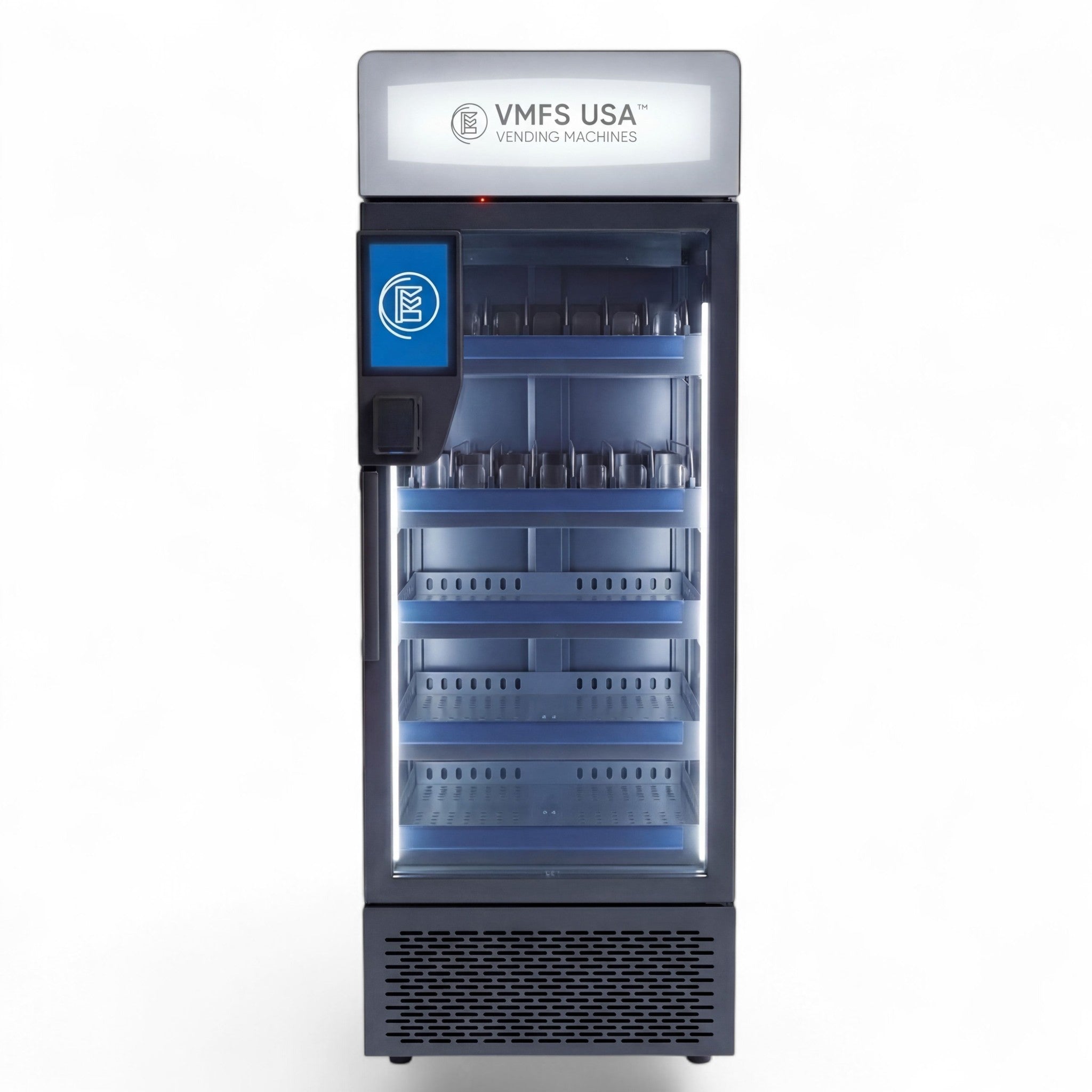
La máquina expendedora AI Smart Cooler está diseñada para la venta al por menor de tipo "toma y vete" (grab-and-go) con reconocimiento por IA, interacción mediante pantalla táctil y almacenamiento de productos refrigerados.
Máquina expendedora combinada AI Smart Cooler
La máquina expendedora combinada AI Smart Cooler combina capacidades de venta refrigerada con una mezcla más amplia de productos de aperitivos y bebidas.
Máquina expendedora Smart Fridge
La máquina expendedora Smart Fridge es adecuada para ubicaciones donde los requisitos principales son los productos refrigerados y una experiencia de compra con autopago. VMFS incluye la visión artificial, la detección de peso, el pago sin contacto y la monitorización en la nube entre las capacidades del sistema.
¿Cuándo debería reparar o reemplazar una máquina expendedora con IA?
Repare la máquina cuando el fallo sea aislado
Un único fallo en una cámara, terminal de pago, sensor, cerradura, ventilador o componente de conectividad generalmente no justifica el reemplazo de toda la máquina. La reparación se vuelve especialmente sensata cuando el gabinete, el sistema de refrigeración, el hardware de control y la plataforma de software siguen teniendo soporte.
Considere el reemplazo cuando los fallos se vuelvan sistémicos
El reemplazo puede tener más sentido cuando la máquina presenta:
- Fallos repetidos en múltiples subsistemas
- Software obsoleto o sin soporte
- Componentes de repuesto no disponibles
- Daños graves en el gabinete o en la refrigeración
- Incompatibilidad persistente con el pago
- Costes de reparación que se acercan al valor de la máquina
- Tiempo de inactividad crónico que reduce materialmente los ingresos
La comparación correcta no es simplemente coste de reparación frente a coste de reemplazo.
Incluya las ventas perdidas, las visitas del técnico, el envío, el tiempo de inactividad, la cobertura de la garantía, la compatibilidad del software y el mantenimiento futuro esperado.
Conozca los servicios de reparación de máquinas expendedoras con IA.
Resolución de problemas en máquinas expendedoras con IA: Lista de verificación rápida para el operador
Antes de llamar al soporte técnico
Recopile la siguiente información:
| Información | Por qué es importante |
| Modelo de la máquina | Identifica la configuración del hardware |
| ID de la máquina/número de serie | Identifica la unidad específica |
| Mensaje de error exacto | Limita la falla |
| Hora del fallo | Ayuda a coincidir con los registros |
| Actualización de software reciente | Identifica posibles cambios de software |
| Reabastecimiento reciente | Puede revelar cambios en el producto/configuración |
| Estado de la red | Elimina las causas de conectividad |
| Lectura de temperatura | Crítico para productos refrigerados |
| Estado del pago | Identifica fallos relacionados con la transacción |
| Fotos/vídeo | Ayuda a los técnicos a diagnosticar fallos físicos |
Un buen informe de servicio es mucho más útil que decir "la máquina no funciona".
Dónde comprar máquinas expendedoras con IA
Si está comparando máquinas para una nueva ubicación, revise la gama completa en lugar de elegir un modelo basándose solo en las características de IA.
Explore las máquinas expendedoras con IA para comparar las configuraciones "toma y vete" disponibles.
La máquina adecuada debe coincidir con la ubicación, categoría del producto, volumen de clientes, entorno de red, requisitos de temperatura, método de pago y modelo de servicio.
Conclusión
Las máquinas expendedoras con IA resuelven muchas limitaciones de la venta tradicional, pero no están exentas de mantenimiento. Sus puntos de fallo más importantes son la visión artificial, los sensores de peso, los sistemas de pago, la conectividad, las cerraduras electrónicas, la refrigeración y el software.
La estrategia de resolución de problemas más rápida es identificar qué subsistema falló, verificar los aspectos físicos básicos, consultar los registros y el panel de control en la nube de la máquina y solo entonces proceder a la sustitución de componentes.
Para los operadores, la fiabilidad comienza antes de la instalación. Seleccionar la máquina adecuada, mantener una colocación constante del producto, monitorizar las temperaturas y la conectividad, revisar las anomalías en las transacciones y llevar un historial de mantenimiento documentado puede evitar que fallos menores se conviertan en costosos tiempos de inactividad.
Explore las máquinas expendedoras con IA y elija un sistema diseñado para su ubicación y mezcla de productos.
Preguntas frecuentes
¿Cuál es el problema más común en las máquinas expendedoras con IA?
La calibración de cámaras o sensores, los fallos en terminales de pago, problemas de conectividad, averías en la refrigeración y problemas con las cerraduras electrónicas se encuentran entre las categorías de servicio más comunes. La tasa de fallo exacta varía según el modelo de máquina, el entorno, el uso y el mantenimiento.
¿Por qué mi máquina expendedora con IA no reconoce los productos?
El reconocimiento de productos puede fallar debido a cámaras sucias u obstruidas, mala iluminación, cambios en la colocación del producto, cambios en el embalaje o problemas de calibración de los sensores. Revise la vista de la cámara y la configuración del producto antes de asumir que el software de IA ha fallado.
¿Puede una máquina expendedora con IA funcionar sin internet?
Algunas funciones de la máquina pueden continuar localmente durante una interrupción de la red, pero la monitorización en la nube, la sincronización, la gestión remota y ciertas funciones de pago pueden depender de la conectividad. El comportamiento exacto sin conexión depende de la arquitectura de hardware y software de la máquina.
¿Por qué mi máquina expendedora con IA está cobrando el producto incorrecto?
Los cobros incorrectos pueden ser resultado de errores de visión artificial, discrepancias en los sensores de peso, problemas de configuración del producto o fallos en el procesamiento de transacciones. Revise la cámara, los sensores y los registros de transacciones juntos en lugar de confiar solo en el recuento del inventario.
¿Por qué no se desbloquea la puerta de mi máquina expendedora con IA?
La puerta puede permanecer cerrada porque la autorización de pago falló, la cerradura no recibe energía, el sistema de control no emitió la orden de desbloqueo o la cerradura electrónica tiene un fallo mecánico. No fuerce la apertura de la puerta.
¿Cómo soluciono los problemas de pago en una máquina expendedora con IA?
Compruebe primero la alimentación del terminal, la conectividad de red, los mensajes de error y el estado del proveedor de pagos. Si el hardware de pago falla repetidamente, utilice el procedimiento de diagnóstico aprobado por el fabricante y evite las pruebas repetidas con tarjetas reales.
¿Con qué frecuencia debe mantenerse una máquina expendedora con IA?
Las comprobaciones operativas básicas deben realizarse regularmente, con inspecciones más profundas de cámaras, sensores, temperatura, sistemas de pago, conectividad, precisión del inventario y registros de errores a intervalos programados. El calendario de mantenimiento exacto debe seguir los requisitos del fabricante y las condiciones de la ubicación.
¿Pueden las máquinas expendedoras con IA vender alimentos refrigerados de forma segura?
Sí, las máquinas expendedoras refrigeradas con IA pueden utilizarse para productos sensibles a la temperatura cuando la máquina está diseñada para ese propósito y se opera bajo los requisitos de seguridad alimentaria aplicables. La monitorización de la temperatura y los mecanismos de seguridad automáticos son especialmente importantes porque un fallo en la refrigeración puede comprometer el inventario.
¿Son las máquinas expendedoras con IA más fiables que las tradicionales?
Pueden eliminar muchos problemas mecánicos de dispensación, como los atascos de espirales, pero introducen dependencias adicionales de cámaras, sensores, software, terminales de pago y conectividad. Por lo tanto, la fiabilidad depende en gran medida del diseño del sistema, la instalación, el mantenimiento y el soporte técnico.
Compartir:
La máquina expendedora de zumo de naranja que exprime la fruta al momento
Guía para comprar una máquina expendedora usada: qué verificar antes de pagar