


The best office coffee machine for most workplaces is a bean-to-cup automatic: it grinds fresh beans for every cup, makes espresso drinks and plain coffee from one menu, holds enough ingredients to get through a busy day, and cleans itself on a schedule. For a small team that means a countertop unit such as the VMFS Premium Countertop Touch Screen Coffee Machine; for a busy shared breakroom it means a floor-standing machine such as the CorePro or Pro.
This guide matches current VMFS machines to office size and use case, then covers the features that matter, how the main machine types compare, real cost per cup, office coffee service versus buying, and the upkeep each option needs. The picks are based on published specifications and list prices, not on lab testing.
What Is the Best Office Coffee Machine?
The best office coffee machine is the one that matches your daily cup count, your drink menu and the amount of hands-on care your team will actually give it, and for most offices beyond a handful of people that is a fully automatic bean-to-cup machine. A drip brewer or a pod machine costs less up front, but a drip carafe goes stale on the warmer and a pod system multiplies its ingredient cost with every cup. A bean-to-cup unit grinds a fresh dose for each drink, offers espresso, americano, cappuccino, latte, hot chocolate and decaf from a single screen, and runs its own rinse cycles, so nobody has to own the coffee pot.
| VMFS model | List price | Format | Published capacity | Power | Best for |
|---|---|---|---|---|---|
| Premium Countertop Touch Screen | $4,550 (keypad) / $4,850 (touch) | Countertop, bean-to-cup | Up to 150 servings per fill | 1,150W, 120V | Small offices, executive suites |
| CorePro | $4,950 | Freestanding, bean-to-cup | Approx. 300 cups per refill | 1,150W, 120V | Mid-size shared breakrooms |
| Pro | $7,450 | Floor-standing, bean-to-cup | Up to 500 cups per refill | 1,150W, 110V | Large offices, campuses |
| Coffee and Hot Beverage | $8,950 | Floor-standing, bean-to-cup | 140 to 160 cups per refill | 3,000W peak | Specialty drinks, variety |
| Iced Coffee | $11,950 | Floor-standing with ice maker | 180 cups per fill | 3,200W peak | Iced drinks, warm climates |
| Coffee & Snack | $11,650 to $11,950 | Floor-standing combo | Up to 400 snack items plus drinks | 1,800W | One self-service point |
Coffee is one of the few perks nearly everyone uses. The National Coffee Association's Fall 2026 National Coffee Data Trends report found that 66% of American adults drank coffee in the past day, and that 38% of past-day drinkers had coffee away from home. A machine that sits idle or makes poor coffee pushes that spending, and the walk to a café, out of the building. That is why the question is less about brand and more about fit: capacity per fill, speed at the morning peak, water and power needs, payment options and cleaning effort.
The sections below give specific picks first, then the decision framework behind them. If you already know your office size, VMFS also publishes a focused guide to the best coffee machine for a small office and a separate one on choosing a coffee machine for a large office.
Best Coffee Machines for Office Use, by Office Size
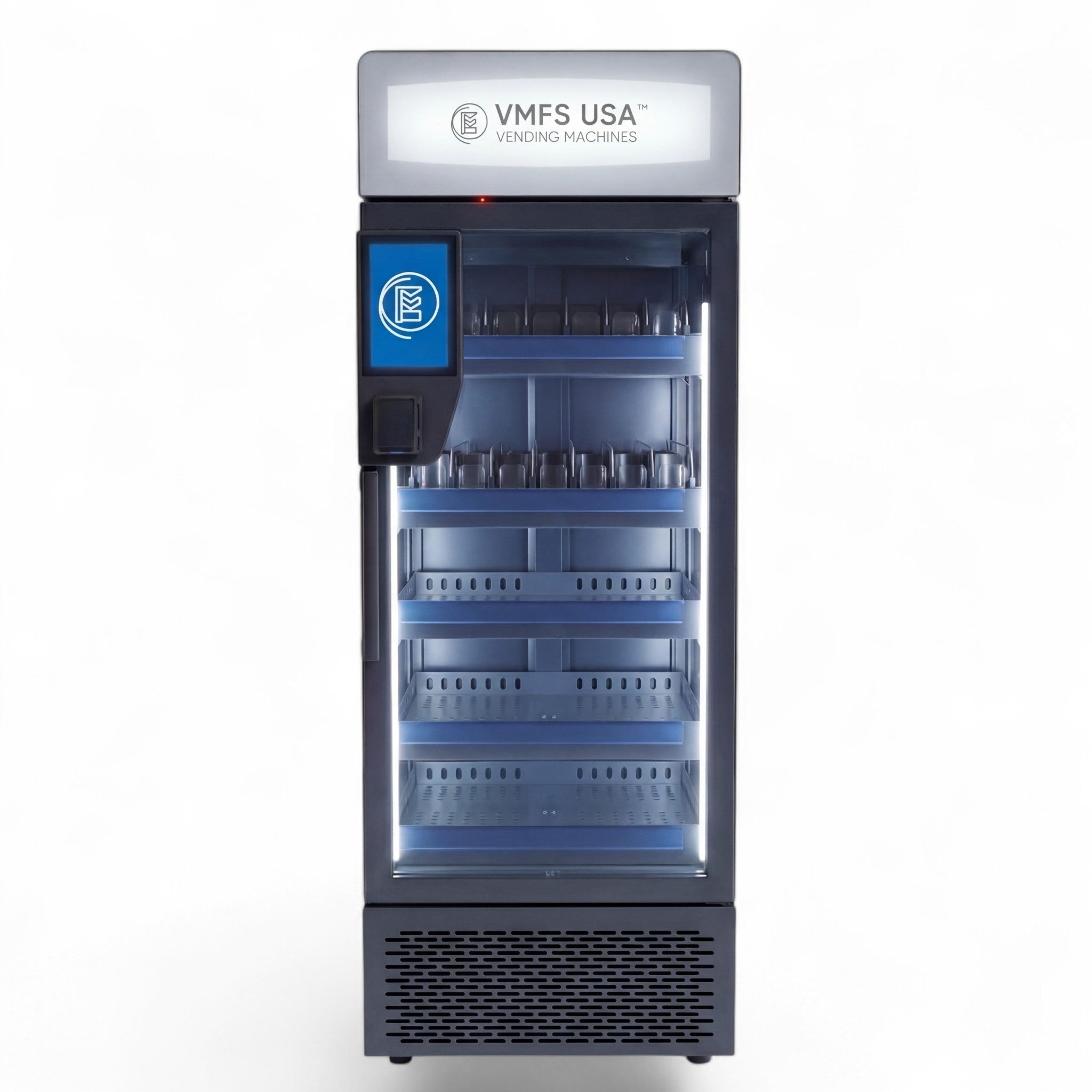
For a small office or executive suite, the best pick is a countertop bean-to-cup machine; for a shared breakroom serving dozens of people, a floor-standing vending-style machine with a larger hopper and canisters is the better fit. Every model below is a current VMFS machine, shown with its list price and the capacity VMFS publishes for it. All of them can run in free-vend mode for staff or with payments switched on, and the full lineup sits in the office coffee machines collection.
Small office or executive suite
Premium Countertop Touch Screen: bean-to-cup on a counter, up to 150 servings per fill, $4,550 to $4,850.
Busy shared breakroom
CorePro: freestanding, approximately 300 cups per refill, standard 120V outlet, $4,950.
Large office or campus
Pro: floor-standing steel cabinet, up to 500 cups per refill, 18+ selections, $7,450.
Specialty or iced drinks
Coffee and Hot Beverage ($8,950) for a café-style menu; Iced Coffee ($11,950) adds a built-in ice maker.
Small offices and executive suites: Premium Countertop Touch Screen Coffee Machine
The Premium Countertop Touch Screen Coffee Machine is the strongest choice for teams that want café-style drinks without giving up floor space. It lists at $4,850 with a 10.1-inch touchscreen, or $4,550 for the Premium Keypad version, and VMFS rates both at up to 150 servings per fill. The touchscreen version holds 4.1 lb of beans (about 264 servings), a separate 1.1 lb decaf hopper, milk powder and chocolate canisters, and two independent mixers. It draws 1,150W, which VMFS says runs on a standard US 120V 15-amp outlet, and the cabinet measures 30.2 x 16.4 x 18.2 inches. The trade-off is capacity: a team pulling more than about 150 drinks between refills will find itself topping up daily.

Mid-size shared breakrooms: CorePro Coffee Vending Machine
The CorePro Coffee Vending Machine is the value pick for a busy breakroom. At $4,950 it costs about the same as the countertop unit but VMFS rates it at approximately 300 cups per refill, with one bean hopper, four powder canisters, a sugar container and three mixers. It is a freestanding cabinet (59.3 x 20 x 23 inches, about 220 lb) with an anti-vandal door, draws the same 1,150W from a standard 120V outlet, accepts coins, bills and card readers through its MDB interface, and works with VMFS Cloud. Its small graphic display is less polished than a touchscreen, which matters more in a client lounge than in a staff kitchen.
Large offices and campuses: Pro Coffee Vending Machine
The Pro Coffee Vending Machine ($7,450) is built for sites where a refill every day or two is not acceptable. VMFS rates it at up to 500 cups per refill, with one bean hopper plus five soluble canisters and 18 or more direct selections, in a floor-standing steel cabinet (72.2 x 23.6 x 23.0 inches, 313 lb) with a protected dispensing gate. It runs at 1,150W on a standard US commercial 110V circuit and does not require plumbing. Choose it for large headquarters, hospital staff lounges, plants and warehouse breakrooms.
Specialty drinks and variety: Coffee and Hot Beverage Vending Machine
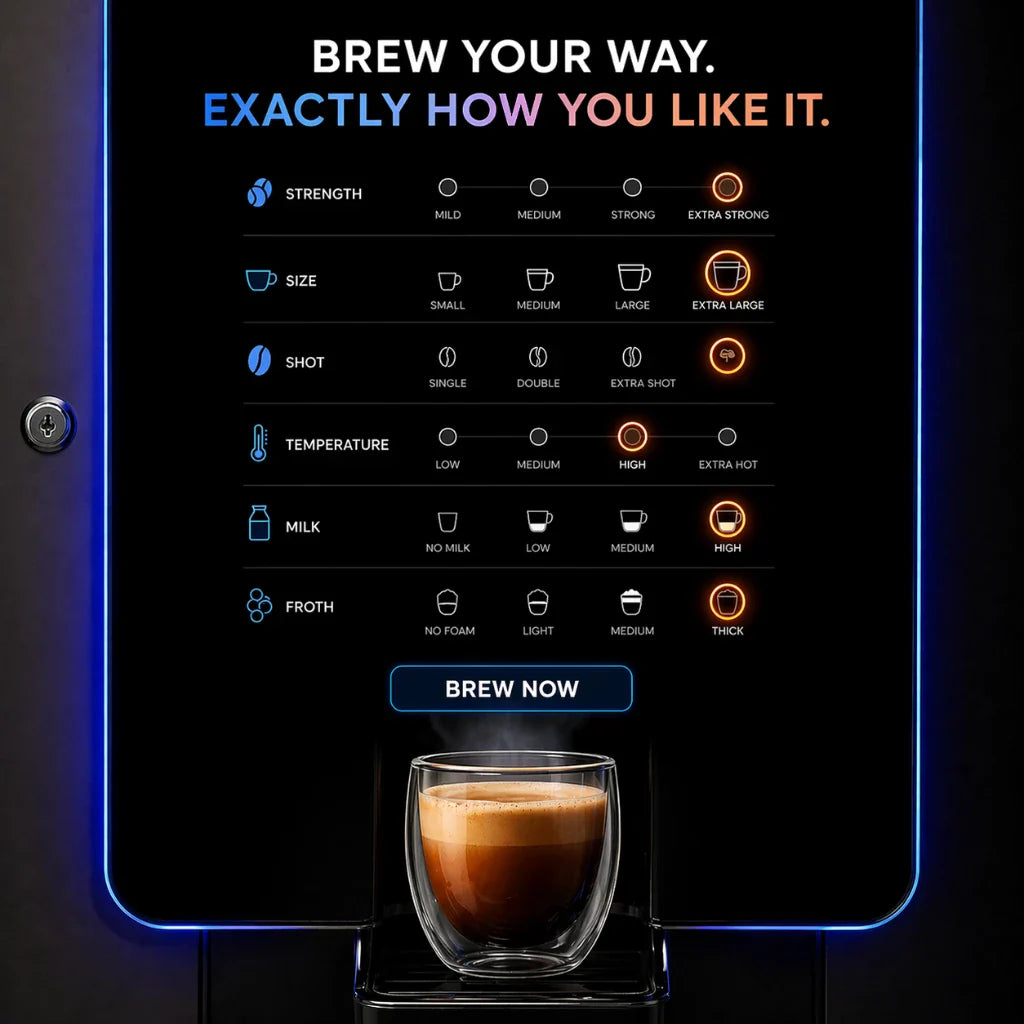
The Coffee and Hot Beverage Vending Machine ($8,950) is the pick when drink quality and menu breadth matter most. It uses a Swiss flat burr grinder rated for 750,000+ cycles, 9-bar extraction at 92°C, a dose you can set between 7 and 16 grams per recipe, and a 22-inch touchscreen. VMFS rates it at 140 to 160 cups per refill and 45 to 60 seconds per drink. Water can come from two 18.9-liter (5-gallon) bottles inside the cabinet or from a water line. Its 3,000W peak draw is the one spec to clear with facilities before it arrives.
Iced coffee and warm climates: Iced Coffee Vending Machine
The Iced Coffee Vending Machine ($11,950) adds a built-in ice maker rated at 165 lb per day to a bean-to-cup system, so it can serve iced lattes and iced americanos brewed to order alongside hot drinks. VMFS lists 180 cups per fill in 10, 12 or 16 oz sizes, a 1.5 kg (3.3 lb) bean hopper, six 4-liter canisters, 20+ recipes and about 60 seconds per drink. Peak power is 3,200W during brewing and ice making, so confirm outlet amperage first. It suits large offices in hot regions, creative studios and campuses where cold coffee sells all year.
Coffee and snacks in one footprint: Coffee & Snack Vending Machine
The Coffee & Snack Vending Machine ($11,650 to $11,950 depending on configuration) combines up to 400 packaged snack items with four hot and four cold drink options. Instant coffee is standard and a bean grinder module is optional, so check that option if fresh-ground coffee is the priority. It draws 1,800W and ships with both 4G and Wi-Fi. It makes sense for an office that wants one self-service point instead of a coffee machine plus separate vending machines.
Custom menus: Build Your Coffee Vending Machine
If none of the fixed models fits, the Build Your Coffee Vending Machine configurator starts at $4,470 and lets you set the drink menu, 8 to 20 oz cup sizes and a commercial burr grinder, with cashless payment and cloud management standard.
Very small teams of a few people may not need any of these. A good drip brewer or a single-serve pod machine is a reasonable starting point for two or three daily coffee drinkers, and remote staff are better served by the options in the VMFS guide to home office coffee machines.
How to Size an Office Coffee Machine for Your Headcount
Size an office coffee machine by your daily cup count and your busiest quarter-hour, not by total headcount. Start by counting the people who actually drink coffee at work and how many drinks each takes on a typical day, then compare that number with the machine's capacity per fill. As a worked example, 40 coffee drinkers at two cups each is 80 drinks a day: a countertop unit rated at up to 150 servings per fill covers that with one top-up every day or two, while a freestanding machine rated at roughly 300 cups per refill can run several days between visits.
The morning peak is the second test. Bean-to-cup machines in the VMFS range take roughly 45 to 60 seconds per drink, so one machine can serve about 15 to 20 drinks in a 15-minute window. If more people than that arrive at the machine between, say, 8:45 and 9:00, the queue builds no matter how big the hopper is. The fix is a second machine on another floor or at the other end of the building, not a bigger machine. Multi-floor offices usually get better results from two mid-size units than from one large unit in a single kitchen.
Refill labor is the third factor. A machine that needs topping up daily works if someone in the office owns the job; a site serviced by an outside operator or facilities team on a weekly route needs enough capacity per fill to last between visits. Telemetry helps here, because a connected machine reports bean and powder levels so the person refilling it arrives before it runs out.
Quick sizing rule: daily cups divided by capacity per fill tells you how often someone must refill; your busiest 15 minutes divided by roughly 15 to 20 drinks tells you how many machines you need.
Office Coffee Machine Types Compared
The five main office coffee machine types are drip and airpot brewers, single-serve pod machines, countertop bean-to-cup automatics, floor-standing coffee vending machines and manual espresso machines, and they trade purchase price against ingredient cost, drink range and labor. Drip brewers make the cheapest coffee per cup but only plain coffee, and the carafe needs someone to brew, discard and wash it. Pod machines remove the mess but carry the highest ingredient cost per cup and generate packaging waste. Bean-to-cup automatics cost more up front, then make espresso-based drinks at a low ingredient cost with minimal labor.
Floor-standing coffee vending machines use the same bean-to-cup brewing inside a lockable cabinet with larger canisters, cup dispensing on some models and built-in payment. Manual espresso machines produce the best drinks in skilled hands, but an office rarely has a trained barista on staff, so they make sense only in a staffed café or client lounge. For a deeper look at the mechanics, see how coffee vending machines work.
| Type | Drinks | Labor | Ingredient cost per cup | Best fit |
|---|---|---|---|---|
| Drip or airpot brewer | Plain coffee | High: brew, discard, wash carafes | Lowest | Very small teams, meetings, events |
| Single-serve pod machine | Coffee, limited specialty | Low, but pods to stock and empty | Highest | A few drinkers who want variety |
| Countertop bean-to-cup | Espresso, milk drinks, decaf, cocoa | Low: automatic rinse, daily wipe-down | Low | Small and mid-size offices |
| Floor-standing coffee vending machine | Full menu, sometimes iced | Low: larger canisters, telemetry | Low | Shared breakrooms, large offices |
| Manual espresso machine | Barista drinks | Very high: trained operator needed | Low | Staffed cafés, client lounges |
Why bean-to-cup wins in most offices
- Fresh grind for every drink, with espresso and milk drinks on one menu
- Low ingredient cost per cup compared with pods
- Automatic rinse cycles and on-screen refill prompts
- Optional payments, decaf hopper and remote monitoring
Where it falls short
- Higher purchase price than drip or pod brewers
- Someone still has to refill beans and powders and empty grounds
- Powdered milk rather than fresh milk on most vending-style models
- Needs a counter or floor spot with a suitable outlet
Features to Look for in an Office Coffee Machine
The features that matter most in an office coffee machine are capacity per fill, an integrated grinder, a menu that covers your team's drinks, a water supply that fits your space, an outlet you already have, automatic cleaning and, if you need it, payment and telemetry. Screen size and lighting are nice to have; the items below decide whether the machine is still running smoothly a year from now.
Grinder and brewing system
An integrated burr grinder is what separates bean-to-cup from instant or pod coffee. Look for a published grinder rating and an adjustable dose: the Coffee and Hot Beverage model, for example, lists a Swiss flat burr grinder rated for 750,000+ cycles and a 7 to 16 gram dose per recipe, while the VMFS countertop, CorePro and Pro models use an aluminum boiler with a motorized water distributor instead of solenoid valves, which removes a common failure point.
Drink menu, milk and decaf
List the drinks your team actually orders before you compare machines. Most vending-style machines make milk drinks from milk powder through high-speed mixers, which avoids spoiled milk and daily milk-line cleaning; fresh-milk systems taste closer to a café but add refrigeration and sanitation work. A separate decaf hopper, like the 1.1 lb hopper on the Premium Countertop Touch Screen, lets people choose decaf without anyone swapping beans. If calories are a concern for a wellness program, recipe settings let you cap sugar and milk powder per drink.
Water supply and filtration
Office coffee machines draw water from a plumbed line, an internal tank or bottles. A plumbed line removes refill labor but needs a nearby supply; bottle-fed machines such as the Coffee and Hot Beverage model, which holds two 5-gallon bottles, can go anywhere with an outlet. Either way, filtered water protects the boiler from scale and improves taste. The coffee vending machine installation guide covers water hookups and site checks in detail.
Power, footprint and placement
Check wattage and dimensions against the spot you have in mind. The VMFS countertop, CorePro and Pro machines draw 1,150W from a standard 120V outlet, while the Coffee and Hot Beverage (3,000W peak) and Iced Coffee (3,200W peak) models need an outlet with enough amperage to spare. Standby draw matters too: VMFS lists under 25W standby for the Coffee and Hot Beverage model. VMFS breaks down running costs in its guide to office coffee machine power consumption.
Cleaning automation
Automatic, programmable rinse cycles keep mixers and spouts clean between drinks and at the end of the day, and on-screen prompts tell staff when the grounds bin or drip tray needs emptying. Removable trays and tool-free waste bins cut daily care to a few minutes.
Payments, free vend and telemetry
A machine with an MDB interface can take card readers, coin and bill acceptors or badge readers, or run with payments off as a free staff perk. Cloud monitoring reports sales, cup counts and canister levels remotely; on VMFS machines that is VMFS Cloud, which works with every VMFS machine; plans start at $7.99 per machine per month.
Warranty and parts
Every VMFS coffee machine carries a standard 1-year warranty, and the Premium Countertop Touch Screen offers 2- and 3-year extended options at checkout. Ask any supplier how parts are sourced and how quickly a technician can be reached; downtime on Monday morning costs more goodwill than any feature adds.

Compare Office Coffee Machines Side by Side
See current prices, capacities and payment options for every VMFS office coffee machine.
Shop Office Coffee MachinesWhat an Office Coffee Machine Really Costs
A commercial bean-to-cup office coffee machine from VMFS costs $4,470 to $11,950 up front, and the ingredient cost of each cup is usually a fraction of what pods cost. The purchase price depends on format and features: countertop and compact freestanding units sit between $4,470 and $4,950, the floor-standing Pro is $7,450, and machines with large touchscreens, ice makers or snack storage run $8,950 to $11,950. The coffee vending machine price guide compares these with dealer and refurbished prices across the market.
Add-ons come next. On the Premium Countertop Touch Screen, VMFS lists a credit card reader at $550, a coin and bill acceptor at $550, a custom brand wrap at $600 and a 4G module at $95. A machine that will only ever run as a free staff perk can skip the payment hardware entirely.
Cost per cup
Ingredient cost per cup is where bean-to-cup machines earn back their price. The U.S. Bureau of Labor Statistics put the average retail price of ground roast coffee at $9.299 per pound in August 2026. A pound is 453.6 grams, so at the 7 to 16 gram dose range VMFS lists for its bean-to-cup machines, the coffee in each cup costs about $0.14 to $0.33 at that retail price, and less when beans are bought wholesale. Pods are a different scale: 360connect puts K-Cup pods at $35 to $70 per 42-count case, which works out to roughly $0.83 to $1.67 per pod, or under $0.71 for a Green Mountain 42-pack priced under $30. Water filtration adds very little: an Everpure Claris S cartridge rated for 450 gallons of coffee water costs $173.16, about 2.4 cents per 8-ounce cup, and should be replaced at least once a year.
| Cost item | Figure | How it was calculated |
|---|---|---|
| Coffee per cup, bean-to-cup | About $0.14 to $0.33 | BLS ground coffee $9.299/lb (Aug 2026) x 7 to 16 g dose |
| Coffee per cup, K-Cup pods | About $0.83 to $1.67 | 360connect: $35 to $70 per 42-count case |
| Water filter per 8 oz cup | About $0.024 | Everpure Claris S: $173.16 for 450 gallons |
| Office coffee program per employee | $2 to $14 per month | Fooda: drip $2 to $5, pods $3 to $6, bean-to-cup $5 to $8, full-service $7 to $14 |
Cups, lids, milk powder, sugar and stirrers add to those figures; the coffee vending machine supplies page lists what each machine runs on. For the per-employee view, Fooda's December 2025 comparison estimates $5 to $8 per employee per month for a bean-to-cup program, $3 to $6 for pods, $2 to $5 for drip and $7 to $14 for full-service delivery. Those are program averages; your own figure depends on how many cups each person drinks and whether milk drinks dominate the menu.
Office Coffee Service vs Buying vs Leasing
Buying an office coffee machine is usually cheapest over several years if someone in-house can handle refills and basic cleaning; an office coffee service (OCS) or a lease trades a higher long-run cost for no up-front spend and outsourced upkeep. 360connect estimates that an OCS typically costs $50 to $125 per employee per year, with brewer rental around $30 to $50 a month (up to $100 for higher-end machines), monthly minimum orders around $50 to $80, and a one-time installation fee of about $30 to $50 for machines that need a water line. Some providers lend a brewer free as long as you meet a monthly order minimum and return it when the contract ends.
Vending-style rentals sit higher: Vending Group puts traditional machine rental at $50 to $250 a month for the hardware alone, with restocking and repairs depending on the contract. If you want ownership without the full outlay, VMFS offers financing, and the guide to whether to rent or lease a coffee vending machine walks through the numbers. Ownership also has a tax angle: the IRS describes a permanent 100% first-year bonus depreciation deduction for qualified property acquired after January 19, 2025, and a Section 179 expensing limit of $2,500,000. Confirm how either applies to your business with your accountant.
| Option | Up-front cost | Ongoing cost | Who maintains it | Best when |
|---|---|---|---|---|
| Buy outright | $4,470 to $11,950 (VMFS range) | Ingredients, cups, filters | You, or an operator you hire | Stable office, long horizon |
| Finance to own | Low or none | Monthly payment plus ingredients | You | You want ownership but need to spread cost |
| Rent or lease | Low or none | $50 to $250/month for vending hardware (Vending Group) | Depends on contract | Short lease, uncertain headcount |
| Office coffee service | Often none (loaner brewer) | $50 to $125 per employee per year (360connect) | Provider | No one in-house to manage coffee |
Free Coffee Perk or Pay-Per-Cup?
Most offices run their coffee machine as a free perk for staff, but the same vending-style machine can charge per cup, charge guests only, or subsidize part of the price. With payments off, the machine works like any office coffee maker. The IRS lists "occasional snacks, coffee, doughnuts, etc." among its examples of de minimis fringe benefits, which are excluded from employee income when occasional and not disguised compensation; ask your tax advisor how that applies to a daily free coffee program.
Turning payments on makes sense in shared buildings, coworking spaces, hospitals and plants where visitors and contractors use the same machine. Card payment is now the norm in unattended retail: Cantaloupe's 2026 Micropayment Trends Report found that 78% of vending sales were cashless, that cashless customers spent $2.45 per transaction versus $1.57 for cash, and that 85% of cashless transactions were contactless. VMFS covers reader options in its guide to cashless payment systems for coffee vending machines.
The pay-per-cup model also opens the door to outside operators. A vending operator can place and stock a coffee machine in an office in exchange for a commission or a placement fee, so the office gets coffee service without owning the machine. Vending Group reports that full-service providers typically want 40 or more full-time employees for a soda machine and 75 or more for a snack and soda pair, so smaller offices usually buy or rent instead. Operators weighing those deals should compare commission, flat rent and free placement terms before signing, and vPlaced matches operators with offices and properties looking for machines.
Maintenance and Cleaning
A bean-to-cup office coffee machine needs a few minutes of care each day, a deeper clean each week, and descaling and filter changes on a schedule set by your water and cup volume. Daily care means emptying the grounds bin and drip tray, wiping the dispensing area and screen, and letting the automatic rinse run. Weekly care means removing and rinsing the brew group where the design allows it and cleaning the mixing bowls and powder chutes. Descaling and filter changes depend on local water hardness and volume; a filter cartridge like the Everpure Claris S should be replaced when it reaches its rated capacity or at least once a year.
Neglect shows up first in taste, then in breakdowns: scale insulates heating elements and blocks small water passages, and powder residue in mixers clogs dispensing. A written routine with a named owner prevents most service calls. VMFS has a step-by-step guide on how to clean an office coffee machine and a longer coffee vending machine cleaning and maintenance guide, which also covers descaling schedules.

Setting Up the Office Coffee Station
A good office coffee station puts the machine where people already gather, within reach of a suitable outlet and, if plumbed, a water supply, with room beside it for cups, lids, stirrers, sweeteners and a trash bin. Keep it away from direct sun and out of the main walkway so a short queue does not block a corridor. Leave clearance behind and above the cabinet for ventilation and for opening the door or lid to refill hoppers, and store spare beans, powders and cups nearby so a refill takes minutes rather than a trip to the supply room.
Labels for the drink options and a posted cleaning schedule help shared kitchens stay tidy. New users get better results when someone shows them the menu once; the VMFS article on how to use a coffee machine in the office is a useful handout. If you are still weighing machine types, compare their energy and ingredient use in VMFS's guide to the most efficient way to brew coffee in the office, and stock cups that match your machine's cup sizes and clearance.
Spread the Cost of Your Office Coffee Machine
VMFS financing lets you own a commercial bean-to-cup machine with predictable monthly payments.
Explore FinancingFrequently Asked Questions
Sources
- National Coffee Association — National Coffee Data Trends, Fall 2026 report
- U.S. Bureau of Labor Statistics — Average price, coffee, 100% ground roast, per lb (APU0000717311)
- 360connect — How Much Does an Office Coffee Service Cost?
- Fooda — Office coffee program cost comparison (December 2025)
- Pentair Everpure Claris S replacement cartridge — price, capacity and replacement interval
- Vending Group — How Much Does It Cost to Rent a Vending Machine?
- IRS — Working Families Tax Cuts: provisions for businesses
- IRS — De Minimis Fringe Benefits
- Cantaloupe — 5 numbers from the 2026 Micropayment Trends Report
Share:
How To Use A Coffee Machine In Office
How To Use A Coffee Machine In Office